
Delete your account
How to permanently delete your own account from your studio's website.
You can permanently delete your own account with a studio directly from their website.
Deleting your account is permanent. You'll lose your booking history, memberships, packages, and saved payment methods, and this can't be undone.
Before you delete your account
- Deletion is permanent. Once you delete your account, your booking history, memberships, packages, and saved payment methods are gone for good.
- Cancel active memberships first. If you have an active membership or subscription, cancel it before deleting your account so you aren't billed again.
- It only affects this studio. Deletion applies to your account with this specific studio. If you use the same email with another studio, that account stays active.
Delete your account
Log in on the studio's website
Open the studio's website and click Login in the upper-right corner of any booking widget.
Open Account
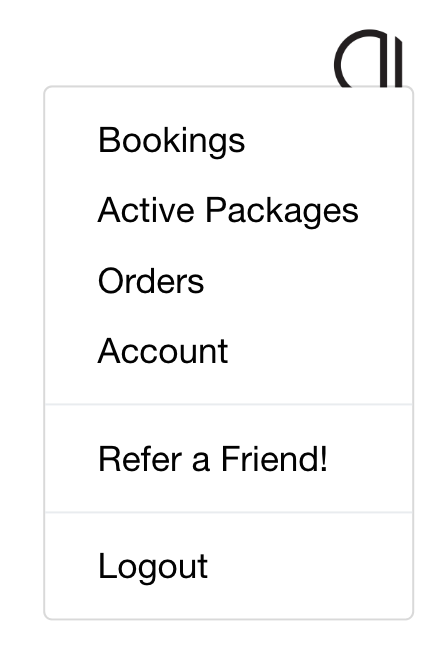
Click your profile circle in the top right and select Account.
Scroll to the bottom of the page
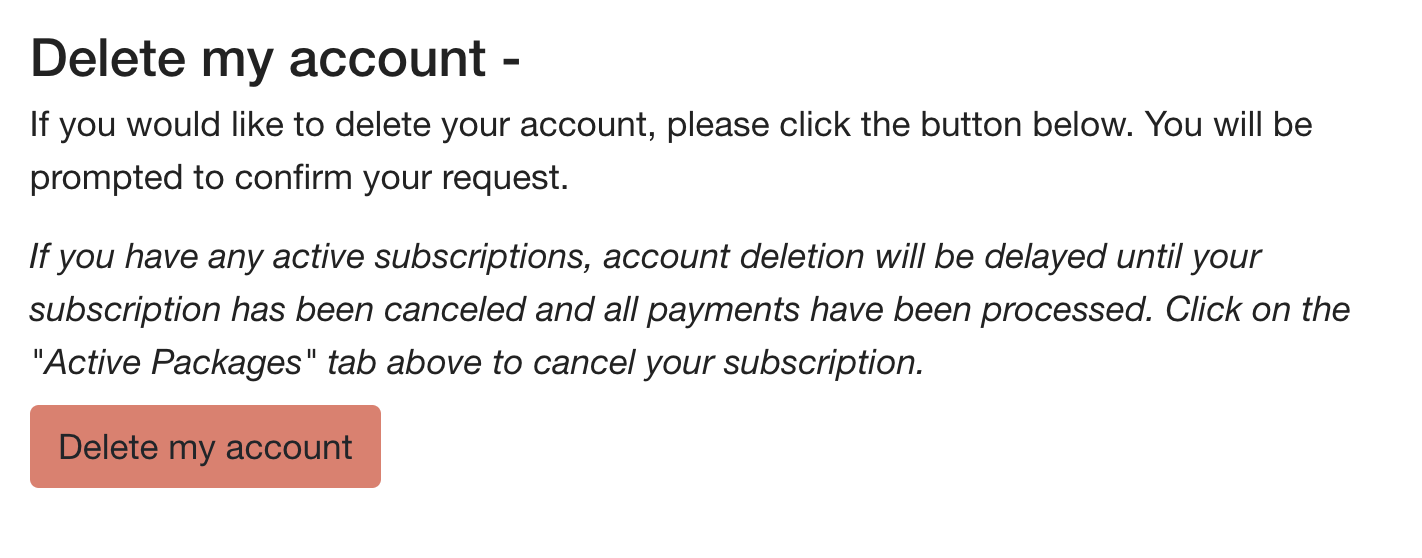
The account deletion option is at the very bottom of the Account page.
Confirm the deletion
Click Delete my account, type DELETE when prompted, and confirm. Your account is deleted within 24 hours.
If you have an active subscription, deletion waits until it's canceled and all payments are processed.
In the studio's mobile app, go to Account, edit your profile, and tap Delete my account at the bottom.
If you don't see the option
Some studios handle account deletion for you. If there's no delete option at the bottom of your Account page, contact the studio directly through the chat on their website and they can remove your account for you.
Not sure which studio to contact? The studio whose website you're logged in to is the one that manages your account and can delete it on your behalf.