
Website analytics
View traffic, page views, and user behavior for your Arketa website.
The Arketa website builder includes built-in analytics so you can see how visitors are using your site.
Access analytics
In the website builder, go to Home → Stats.
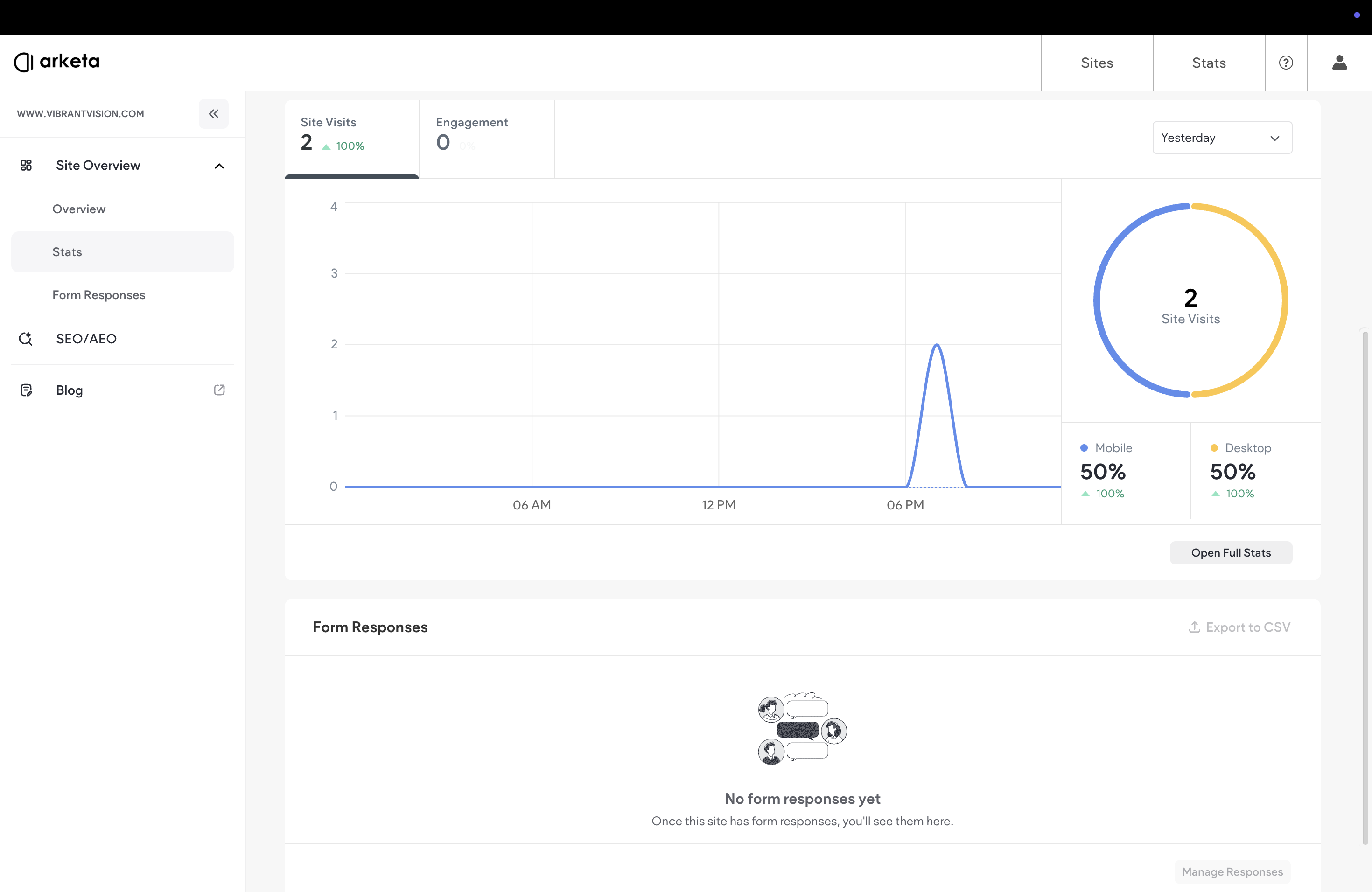
What you can see
| Metric | What it shows |
|---|---|
| Website traffic | Total visitor count and trends over time |
| Page views | How many times each page has been viewed |
| User behavior | How visitors navigate your site, where they click, how long they stay |
| Referral sources | Where traffic comes from — search engines, social media, direct, referral sites |
| Device and browser data | Desktop vs. mobile, browser breakdown |
| Conversion tracking | Track form submissions, button clicks, and completed actions |
| SEO performance | Keyword rankings, organic search traffic, optimization suggestions |
Using analytics to improve your site
- High bounce on the schedule page? Check if your class times are up to date and the embed is working
- Most traffic comes from Instagram? Make sure your Instagram bio link goes to the most relevant page
- Low conversion on the pricing page? Test different copy or add a more prominent call to action
For deeper analytics, connect Google Analytics via Settings → Custom Code (add your GA4 code to the Head section).
Was this helpful?