
Roles and permissions
Control what each staff member can see and do in the Arketa dashboard.
Every team member is assigned a role that determines their access level. Arketa includes six built-in roles, and Studio plans can create custom roles.
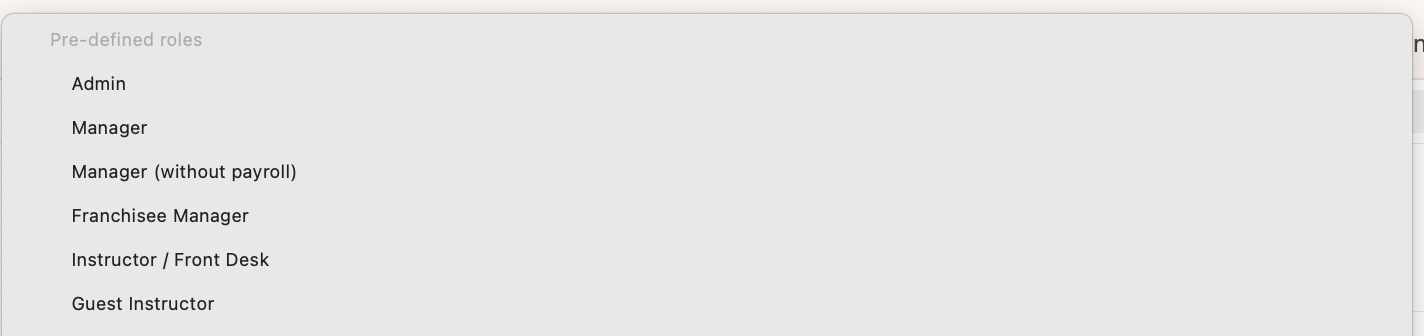
Built-in roles
Admin
Full access to everything.
| Area | Access |
|---|---|
| Inbox | ✓ |
| POS | Full |
| Schedule | Full (create, edit, delete, export) |
| Clients | Full (refunds, notes, timeline) |
| Marketing | Full |
| Reports | Full |
| Settings / Team / Payroll | Full |
Manager
Full operational access, no reporting.
| Area | Access |
|---|---|
| Inbox | ✓ |
| POS | Full |
| Schedule | Full |
| Clients | Full |
| Marketing | ✓ (automations, broadcasts, leads, referrals, testimonials) |
| Reports | Disabled |
| Settings / Team / Payroll | Broad access including pay rates and payroll |
Manager (No Payroll)
Same as Manager but without payroll access.
| Area | Access |
|---|---|
| Inbox | ✓ |
| POS | Full |
| Schedule | Full |
| Clients | Full |
| Marketing | ✓ (automations, broadcasts, referrals, testimonials) |
| Reports | Disabled |
| Settings / Team / Payroll | Payroll disabled; Segments ✓ |
Franchisee
Full schedule and client access with reporting, limited settings.
| Area | Access |
|---|---|
| Inbox | ✓ |
| POS | Full |
| Schedule | Full |
| Clients | Full |
| Marketing | ✓ (automations, broadcasts) |
| Reports | Full |
| Settings / Team / Payroll | Limited settings; front desk reporting; payroll mostly disabled |
Front Desk
Client-facing operations without analytics or marketing access.
| Area | Access |
|---|---|
| Inbox | — |
| POS | Full |
| Schedule | Classes/Events: view only; Appointments: full; Reservations: full |
| Clients | Full (no timeline) |
| Marketing | — |
| Reports | Limited (specific reports only; no export) |
| Settings / Team / Payroll | Front desk reporting; time cards (create only) |
Guest (Instructor)
Instructors who only need to see their own schedule.
| Area | Access |
|---|---|
| Inbox | — |
| POS | — |
| Schedule | View own schedule; manage own upcoming reservations |
| Clients | Client notes only |
| Marketing | — |
| Reports | — |
| Settings / Team / Payroll | Self only (time cards); block payments |
Was this helpful?