
Edit or remove a team member
Update team member details or remove them from your account.
Edit a team member
- Go to Staff → Team
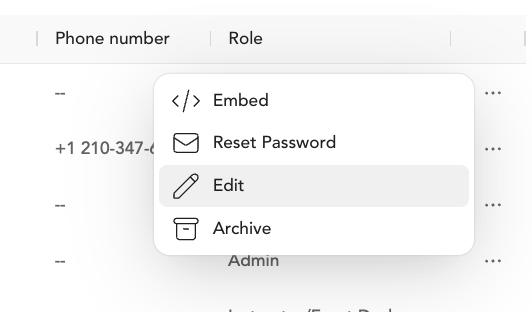
- Click the ... under Actions next to the team member
- Click Edit
- Update name, email, photo, bio, or role
- Save
Remove a team member
- Go to Staff → Team
- Click the ... under Actions next to the team member
- Click Archive
Removing a team member doesn't erase their history. They stay assigned to any classes they taught — past or scheduled — and their data remains in payroll reporting. You can still view reporting for inactive team members.
Was this helpful?