
Shift schedule
Build a weekly work schedule for your studio operations team — front desk, managers, cleaners — with availability, publish + notify, and a full activity log.
Shift scheduling lets you plan the work week for your studio operations team — front desk, managers, cleaners — alongside your class schedule. Build the week as drafts, then publish to notify your team in one click.
Enable this in your General Business Settings under Staff & Access Settings first, and then you'll see it displayed under your Staff menu.
Where to find it:
- Staff → Shift schedule — the week calendar where you build the schedule
- Staff → Availability — set each team member's weekly availability windows
- Staff → Activity log — full audit trail of every shift action
- Settings → Shift schedule settings — default duration, notifications, optional enforce-availability, per-location overrides
- Schedule → Full schedule → Studio + Staff — one view of classes, appointments, events, and published shifts
Build a shift
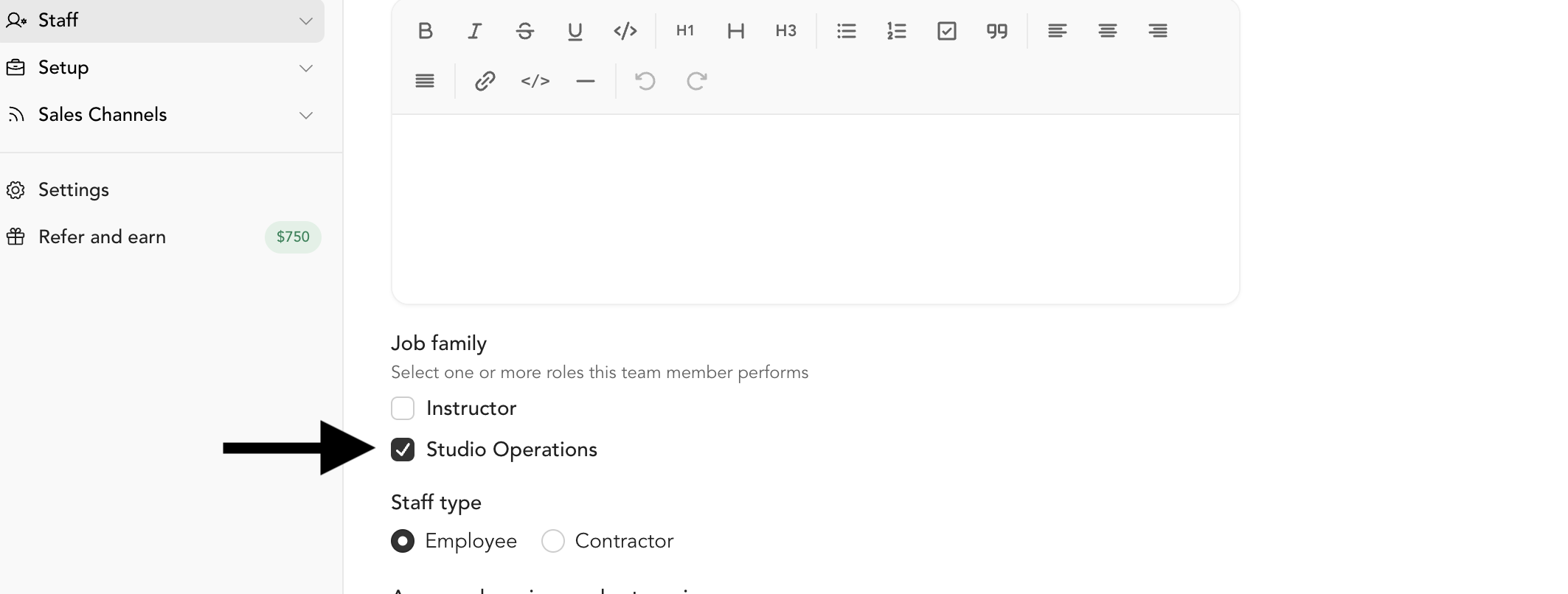
- Set the team member's job family — Go to Staff → Team, open the team member's profile, and set their Job Family to Studio Operations. This adds them as a row in the shift schedule calendar.
Add a shift — Go to Staff → Shift schedule. Hover over the date cell for the team member and click the + that appears to open the Create shift dialog.
- Fill out shift details — Complete all fields in the Create shift dialog — name, date, staff member, location, time, and any recurring days — then click Create shift. The shift saves as a draft, visible only to admins until published.

Publish the week — Once you've finished building out the week, click Publish week in the upper-right corner of the screen. This makes all draft shifts visible to your team and sends them a notification.