
Export payroll report
Generate and download instructor payroll reports by date range.
At the end of each pay period, run a payroll report to see what each instructor earned based on their configured pay rates.
This is the report for studios that don't use Arketa Payroll. It's a CSV of what each instructor earned, which you hand to whatever payroll provider or accountant actually pays your team. Arketa doesn't move any money here.
If you run payroll through Arketa, this isn't the page you want. Arketa Payroll pays your team by direct deposit and has its own set of reports. See Arketa Payroll and Payroll reports.
Run a payroll report
-
Go to Team → Payroll Reporting
-
Click Run Report
-
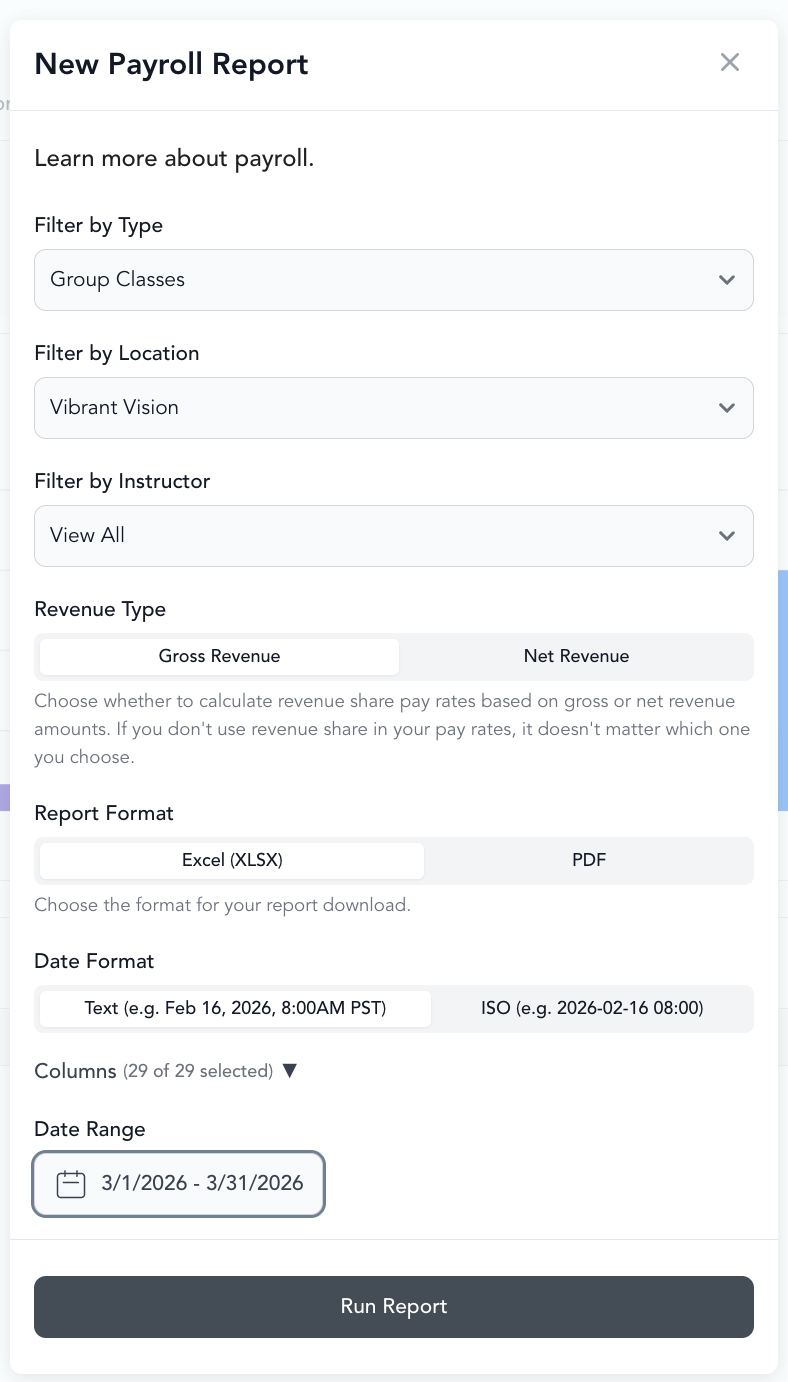
Select:
- Type of payroll (classes, appointments, videos)
- Date range (start and end date)
-
Click Run Report
-
A CSV downloads automatically
For larger reports, the export may take a few minutes.
Understanding the report columns
| Column | What it means |
|---|---|
| Participant markup (basic) | "Bonus per sign-up" — flat amount per student |
| Participant markup (incremental) | "Range – bonus per sign-up" — per-student amount that changes by attendance range |
| Participant markup (single bonus) | "Range – single bonus" — total bonus when attendance hits a threshold |
| Revenue | Total revenue from drop-in and package bookings for the class (excludes subscription bookings) |
| Revenue share (basic) | "Base percentage" of revenue |
| Revenue share (incremental) | "Range bonus" of revenue |
| Unadjusted payout | Base rate + all bonuses and revenue share, before payout limits apply |
| Deficiency | Amount added when payout falls below the minimum limit |
| Excess | Amount subtracted when payout exceeds the maximum limit |
| Adjusted payout | Final instructor pay after limits are applied |
Troubleshooting: report shows an error
If the report fails to run, a common cause is classes without an assigned instructor. The fix:
- Go to the instructor's profile in Setup → Team
- Click the Pay Rates tab
- Find the class type that's missing a rate
- Add a pay rate for that class type
- Re-run the report
Tips and commissions
Tips — go to Reports and search for the "Tips" report to see tips earned by instructor.
Commissions — if you've set up staff commissions, commission data appears separately in commission reporting.