
Language customization
Change terminology used across your Arketa dashboard and client-facing interfaces.
Arketa lets you swap out certain terms used throughout your dashboard and the client experience to better match your studio's language and culture.
For example, you might prefer "students" over "clients," or "sessions" over "classes." Language customization covers these types of substitutions.
Update terms
- Go to Settings → Language Customization
- Use the dropdowns to select alternate terms for each available field
- Click Save Changes
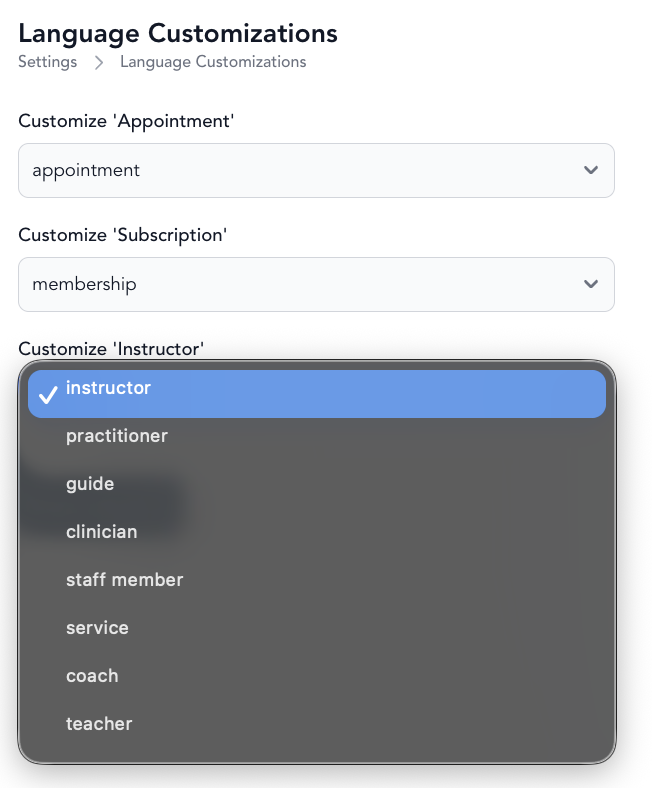
Changes apply across the dashboard, booking widget, and transactional messages wherever that term is used.
What you can customize
Available substitutions include terms like:
- Client / Student / Member / Guest
- Class / Session / Service
- Other key nouns used throughout your booking flow
The full list of available fields is shown on the Language Customization settings page.
Language customization changes how terms appear in your interface — it doesn't translate content into other languages.
Was this helpful?