
Booking windows
Control how far in advance clients can book, when booking closes, and when cancellations close.
Booking windows define the scheduling rules for each service type — how early a client can book, when booking closes, and when they can cancel. They're set globally in Settings → Booking Windows and applied to service types.
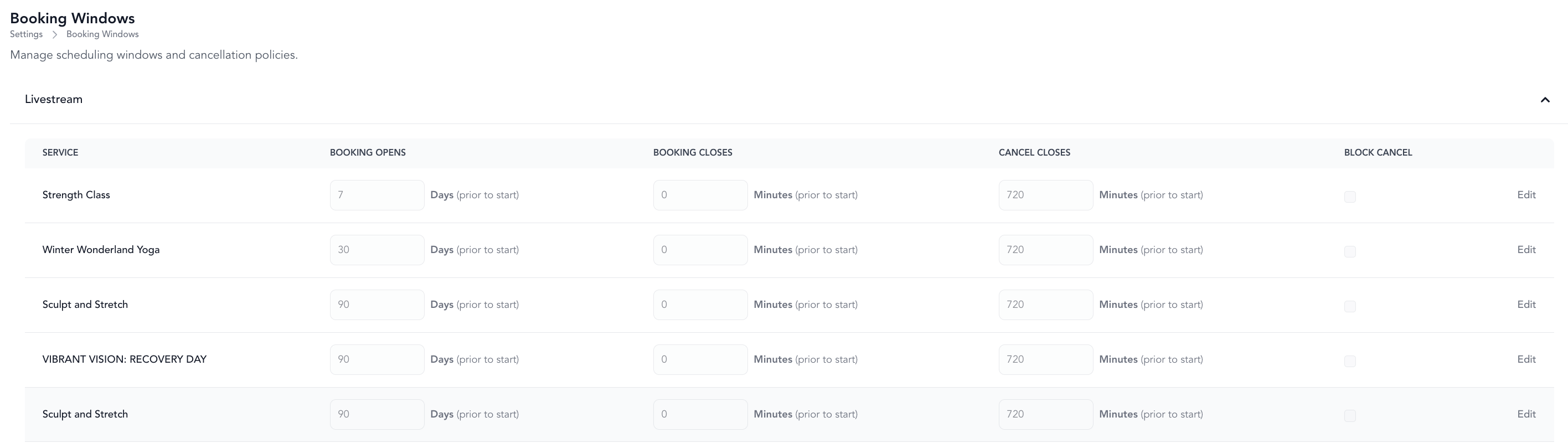
The three window settings
| Setting | What it controls |
|---|---|
| Booking opens | How far in advance clients can book. A 90-day window means a class is bookable up to 90 days before it happens. |
Negative booking close values mean clients can join after the class has already started. For example, -15 = up to 15 minutes after class begins.
Cancel closes works differently from Booking closes. It decides whether a cancellation is free, not whether a cancellation is possible. Once the window passes, a client can still cancel on their own — the booking page warns them first, then records it as a late cancel with the credit forfeited and any late cancel fee applied. This stays true after the class has started, so a client can late cancel mid-class and be charged the late cancel fee rather than a no-show fee (no-shows apply to clients who never cancel at all).
A negative Cancel closes value does not extend cancellation past the class start. Arketa ignores negative cancel values and falls back to the 60-minute default, so use Block late cancel below rather than a negative number.
Default policies
| Service type | Booking opens | Booking closes | Cancel closes |
|---|---|---|---|
| Classes, events, workshops | 90 days | -15 min (15 min after start) | 0 (cancel up until start time, no penalty) |
Create or edit a booking window
- Go to Settings → Booking Windows
- Click Edit next to an existing one (if you don't see the booking window settings this means you need to create service types)
- Set the booking opens, booking closes, and cancel closes values
- Click Save
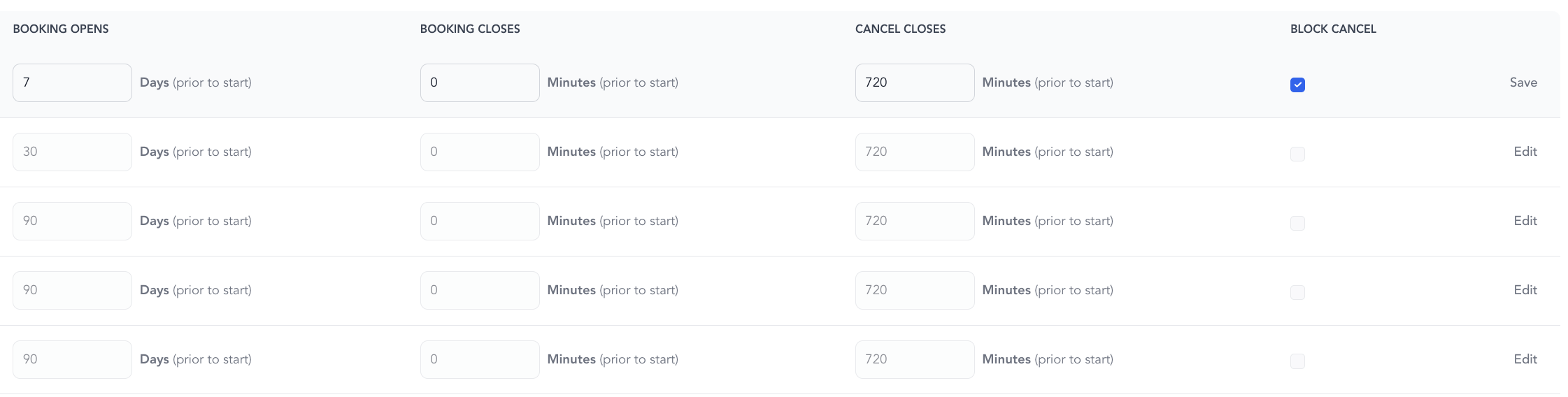
Assign the window to a service type when creating or editing the service type.
Block client cancellations
To prevent clients from canceling on their own, check Block cancel when editing a booking window. Clients will see a message directing them to contact the studio to cancel.
This is useful for appointments, private sessions, or any service where you want to handle cancellations personally.
Booking windows and delayed scheduling
Booking windows interact with delayed scheduling (set per recurring class series):
- If your booking window is shorter than the delayed scheduling horizon, the class may appear on the schedule before clients can book it
- Best practice: Set your booking window to 90+ days when using delayed scheduling, and rely on the delayed scheduling settings to control when classes become bookable
For example: if delayed scheduling drops classes 7 days before, and your booking window is 90 days, clients see the class appear 7 days out and can book it immediately.
See the full guide on how booking windows and delayed scheduling work together for detailed examples.
Member early booking access
You can give members earlier booking access than the general public using Member Perks → Early Booking Privileges in settings. This extends a member's effective booking window without changing the global setting.
Example: Public can book 7 days out. Members with a +7-day perk can book 14 days out.