
Book a spot for a client
Assign a specific spot to a client from the class roster or check-in screen.
When a class has spot booking enabled, clients can choose their spot at checkout. You can also assign or reassign spots manually from the dashboard — useful when adding someone at the door or moving a client who's already booked.
Assigning a spot when adding a client
When you add a client to a class from the check-in screen or roster:
From list view:
- Search for the client's name
- Select a spot number from the dropdown
- Click Add to class
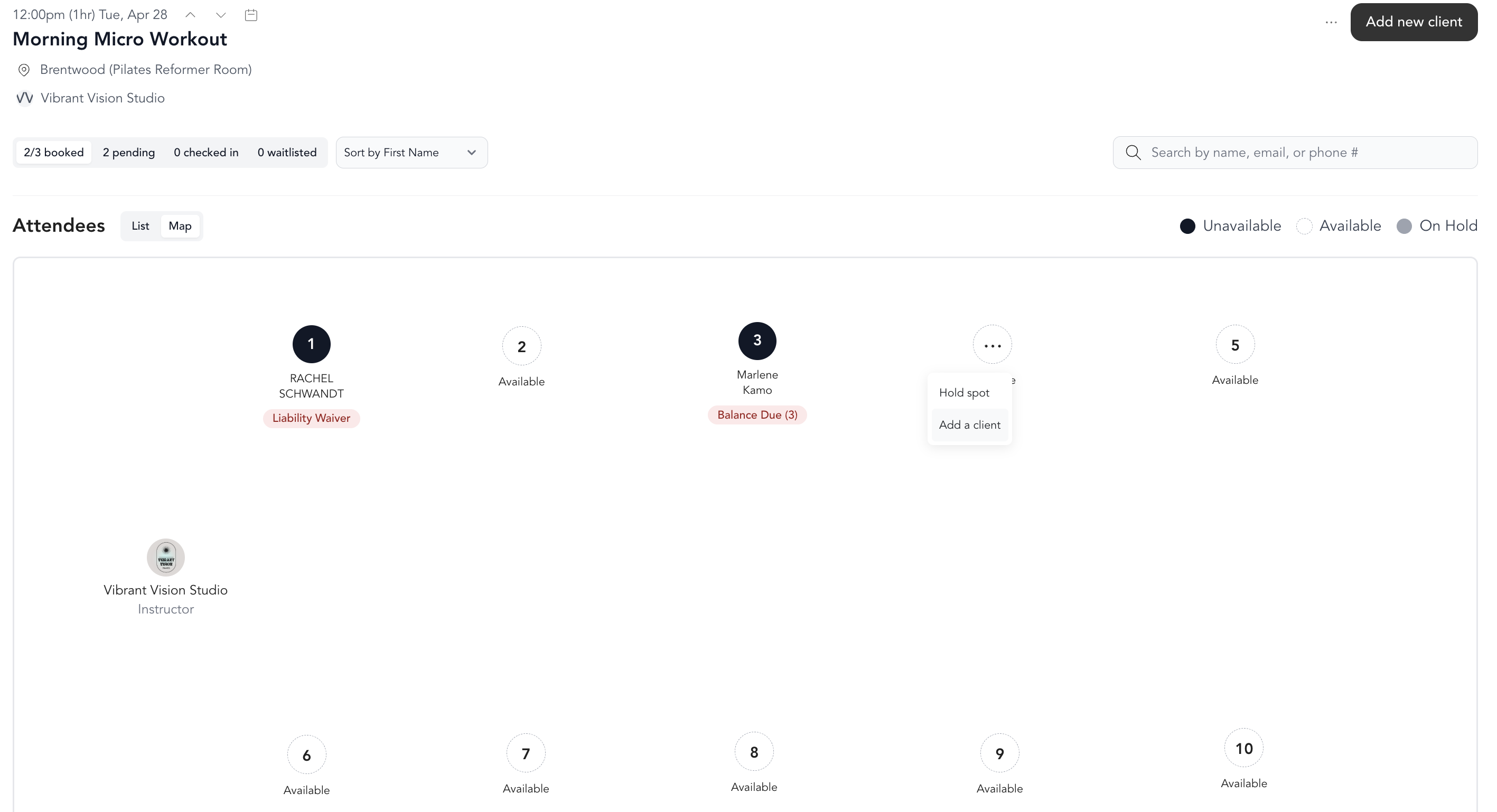
From map view:
- Click directly on the spot you want to assign
- Search for the client
- Complete the booking
Reassigning a spot
To move a client to a different spot after they've booked:
- Open the class roster
- Find the client
- Click the spot currently assigned to them
- Select a new spot from the map or dropdown
Clients who book online can choose their own spot at checkout. If they don't pick one, they'll be added to the class without a spot assignment — you can assign one manually from the roster.
What clients see
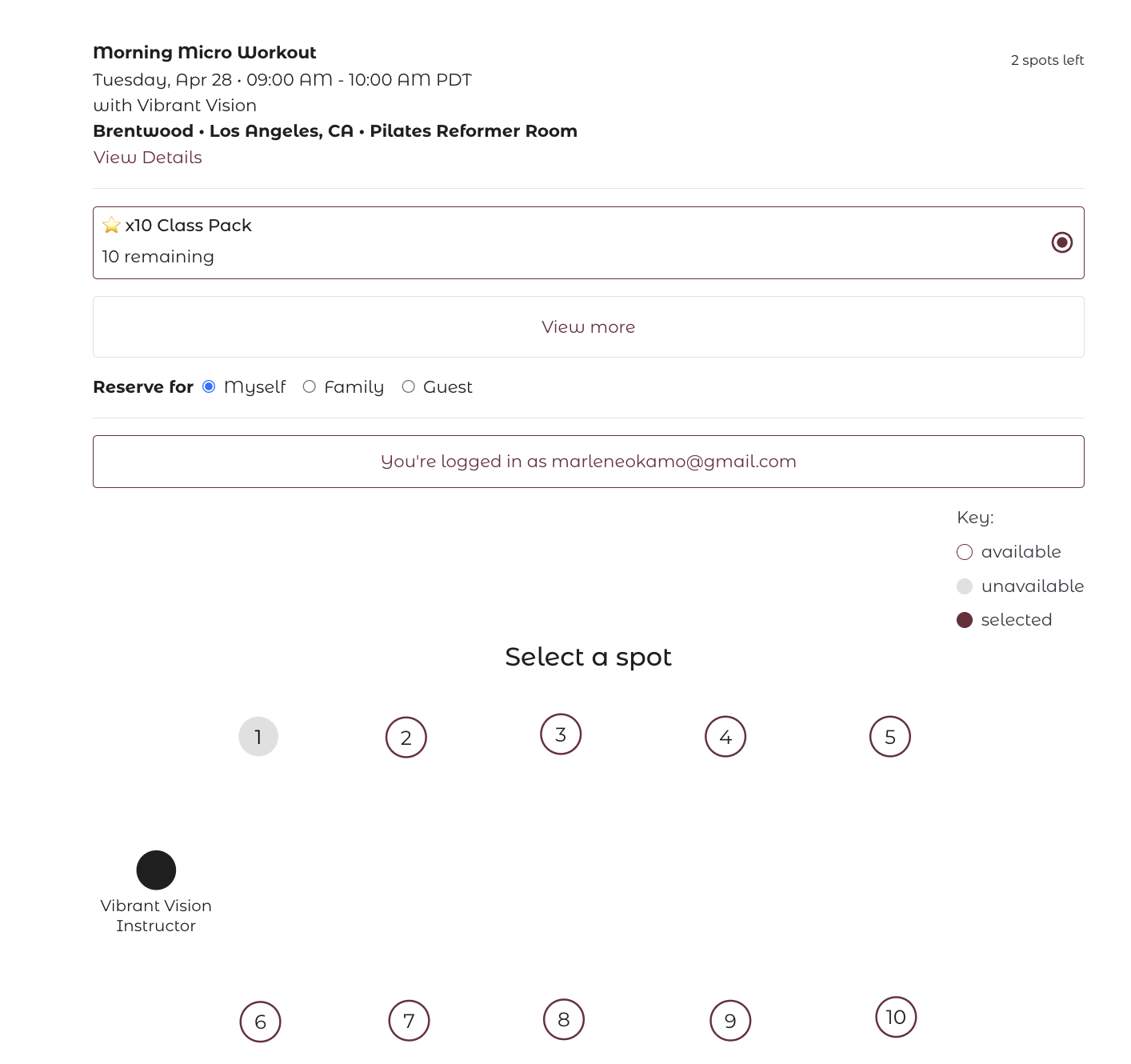
When spot booking is enabled for a class, clients see the room map at checkout. They click the spot they want, then complete their booking. The spot is held for them immediately.
Clients can see their assigned spot in their booking confirmation email and in their account under My Bookings.