
Booking requirements
Restrict class bookings to clients with specific tags — useful for intro classes, advanced levels, or prerequisites.
Booking requirements let you restrict who can book a class based on client tags. This is useful when you want to gate certain classes — for example, requiring clients to complete an intro session before they can join advanced classes, or limiting a specialty workshop to clients who've already been vetted.
How it works
When a booking requirement is set on a service type, only clients with the required tag on their profile can book that class. Everyone else sees the class but can't complete the booking.
This is a great way to:
- Drive new clients toward an intro or foundations class first
- Restrict advanced classes to experienced clients
- Reserve workshops or specialty programs for specific groups
Set up booking requirements
- Go to Setup → Service Types
- Edit the service type you want to restrict
- Navigate to the last step and expand Advanced
- Scroll down to Booking Restrictions
- Enter the tag(s) that clients must have to book this class
- Save the service type

You can add multiple tags. Clients need at least one of the listed tags to qualify.
Tagging clients
Tags are added from a client's profile. To tag a client:
- Go to Clients and open the client's profile
- Add the relevant tag in the Tags section
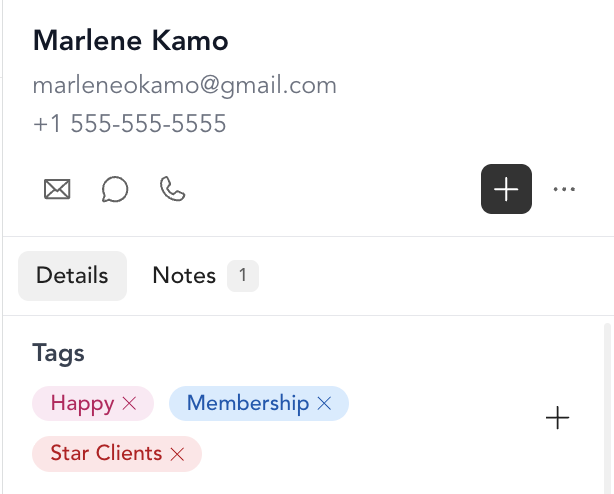
Once tagged, that client will be able to book any class with that requirement. For example: if you tag a client with "Advanced Pilates" after they complete your intro program, they'll automatically unlock your advanced class bookings.
What clients see
Clients who don't meet the requirements will see the class on your schedule but won't be able to complete a booking. You can use this as an opportunity to direct them to the prerequisite class or program via your class description or a follow-up email.