
Credit allotments
Require multiple credits for booking certain classes or services.
By default, booking a class uses one credit from a client's package or membership. Credit allotments let you change that — for example, requiring 2 credits to book a 90-minute class, or 3 credits for a specialty workshop.
This is useful when you offer classes of different lengths or intensity levels and want your pricing to reflect that.
Enable multiple credits
This feature is off by default. To turn it on:
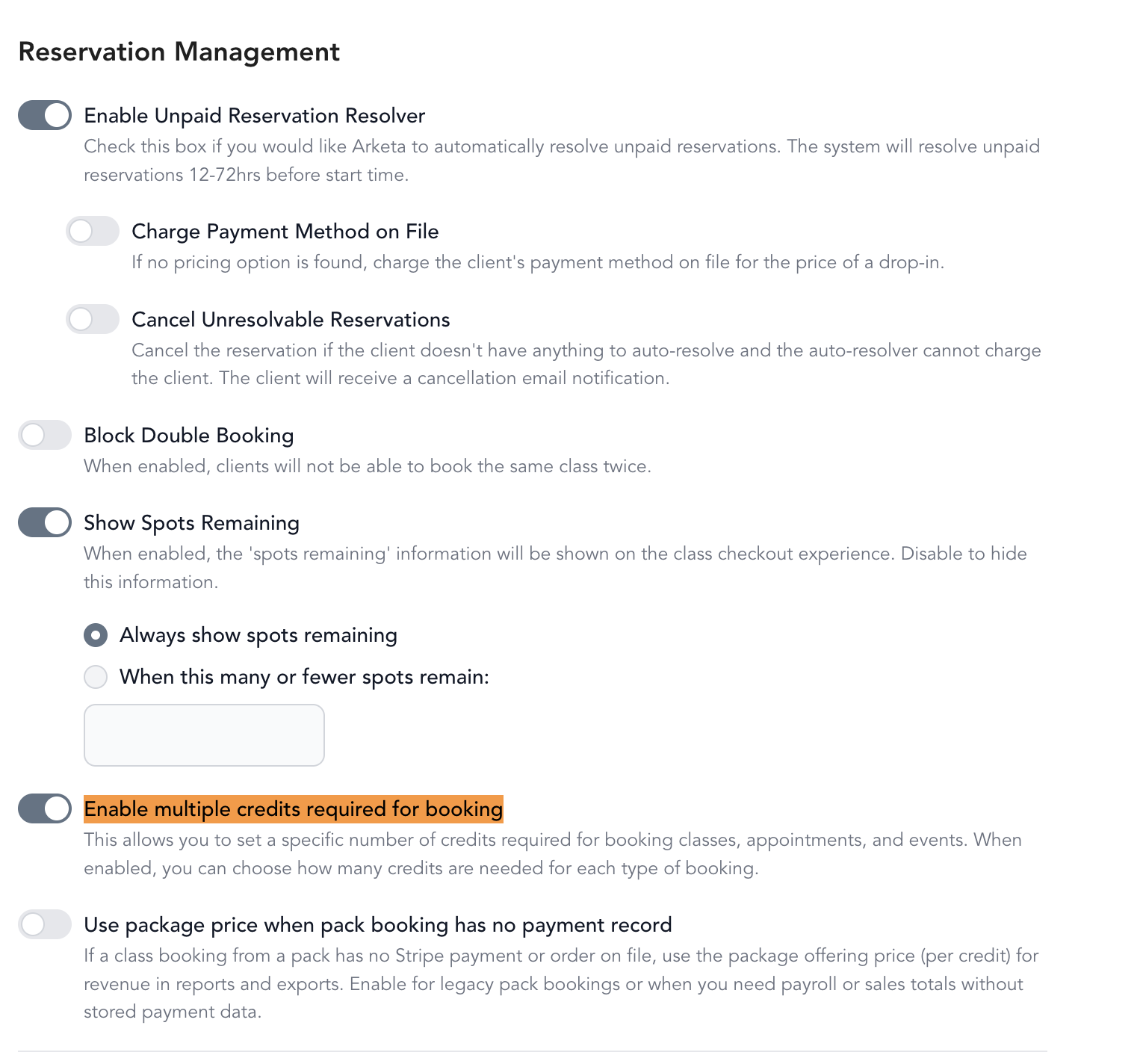
- Go to Settings → General Business Settings
- Toggle on Enable multiple credits required for booking
Set credits for a service type
Once enabled, you can update the credit amount per service type:
- Go to Setup → Service Types
- Click Edit next to the service type
- On the first page (Overview), update the Number of Credits field
- Click Next and save

Credit amounts can only be set on active service types. If your service type is still in draft, activate it first.
Set credits for a single class
You can also override the credit amount on individual class instances:
- Go to Classes (or Full Schedule)
- Click the three dots next to the class → Edit class
- Go to the Pricing Settings step
- Update the Number of Credits field
- Save
How this works with packages and memberships
Credit allotments work with any pricing option that has credits — packages with a set number of credits, and unlimited memberships/subscriptions. A client with a 10-class pack who books a 2-credit class will use 2 of their 10 credits per booking.
Clients see how many credits a class requires before they book, so there are no surprises.
Check the credit amount against the class packs that apply to the class. If a class requires as many credits as a pack contains — for example a 5-credit class and a 5-class pack — a single booking uses the client's entire pack and leaves them with nothing.
Changing the credit amount later does not affect clients who have already booked. If clients booked at the wrong amount, correct the class first, then adjust each affected client's remaining credits by hand from their profile.