
Cancel a class
How to cancel a single class or an entire recurring series, with options to notify and refund clients.
Cancelling a class (rather than deleting it) sends email notifications to enrolled clients — which is what you want whenever anyone has signed up.
Cancel a single class
- Go to Classes → Full Schedule
- Find the class and click Cancel Class
- Optionally write a note to clients explaining why the class is cancelled
- Choose whether to issue refunds to enrolled clients
- Click Yes, cancel class
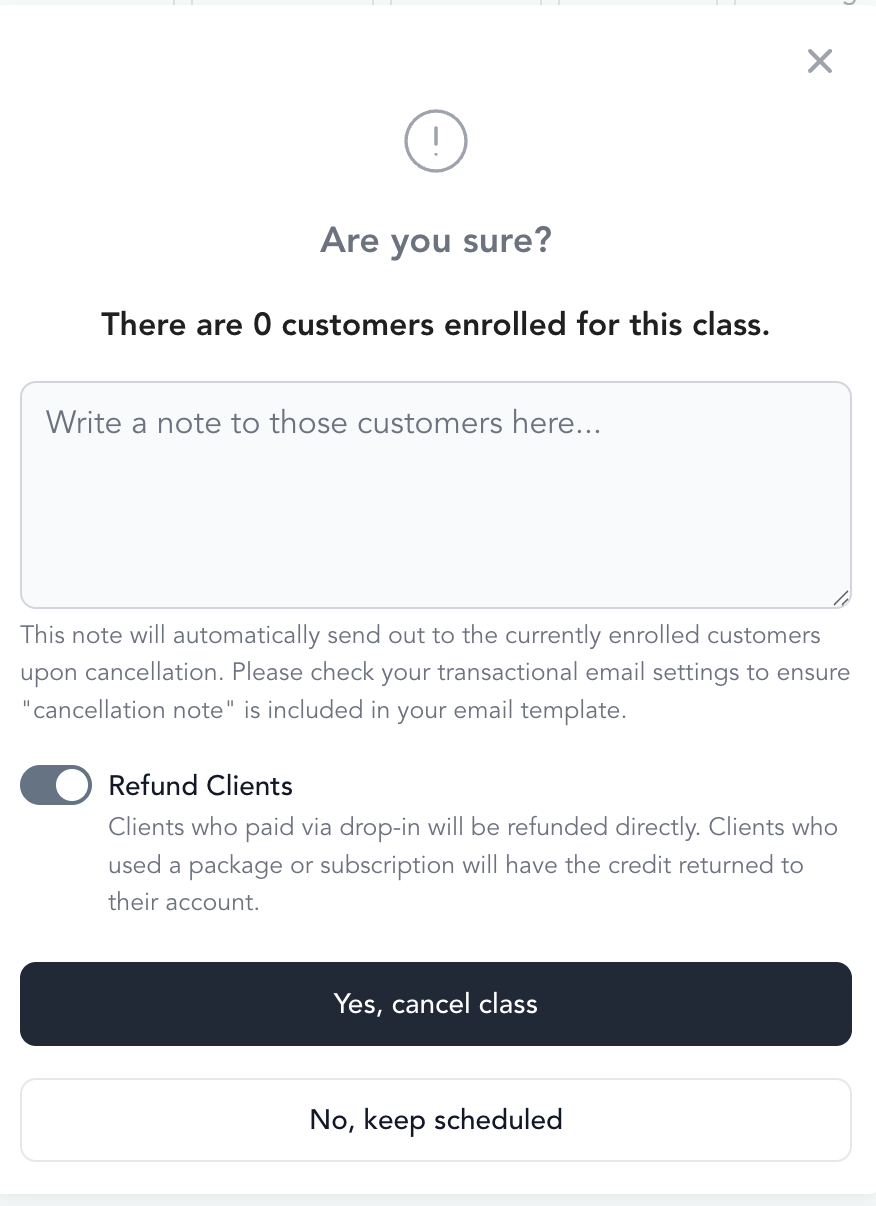
Enrolled clients receive an email notification about the cancellation.
Cancel multiple classes in a recurring series
To cancel several specific classes (e.g., you're out of town for 3 weeks):
- Go to Setup → Service Types
- Click into the service type
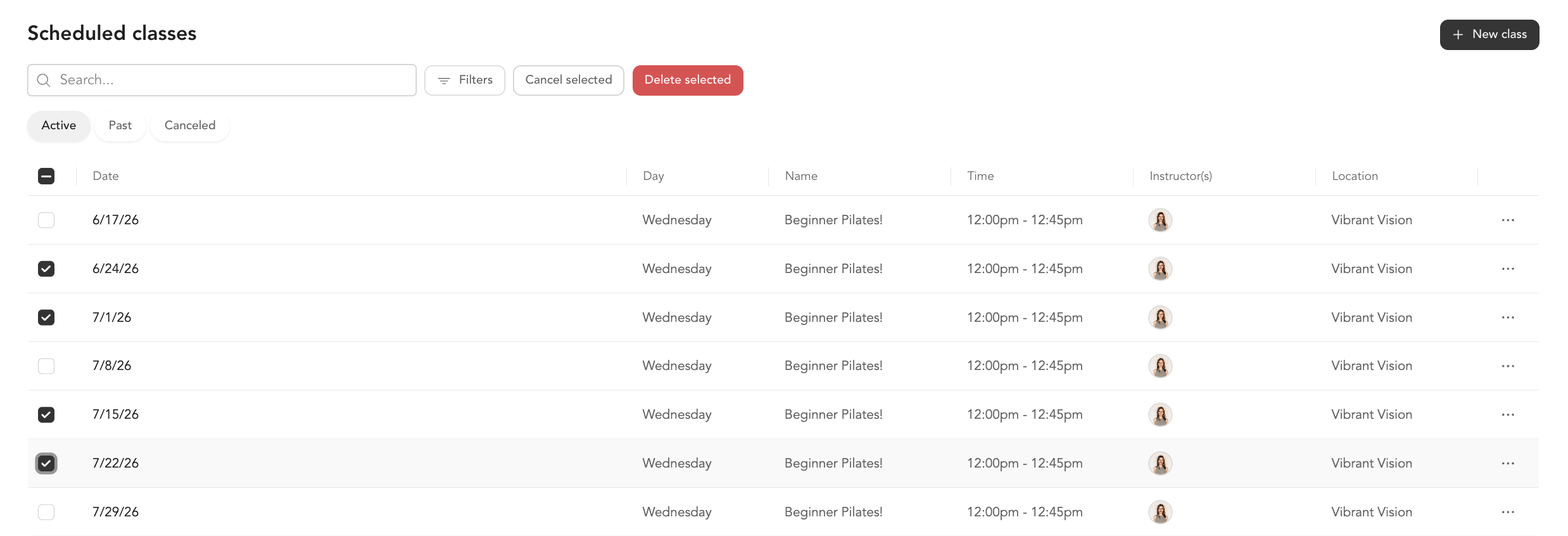
- Click into the recurring series to see individual instances
- Check the boxes next to the classes you want to cancel
- Click Cancel Selected
- Confirm and optionally refund
Cancel an entire recurring series
To end a recurring class completely:
- Go to Setup → Service Types
- Click into the service type
- Click … next to the recurring series
- Select Cancel Selected (with all instances selected)
- Confirm — enrolled clients will be notified
If you're cancelling because of a schedule change (not a permanent end), consider adding a note in the cancellation message pointing clients to the new class time so they can re-book. Ensure your cancelled class transactional message includes the handlebar for cancellation note.
Refunds on cancellation
When you cancel, you'll be asked whether to refund enrolled clients. What "refund" means depends on how each client paid:
- Paid (drop-in) — the client paid outright, so a monetary refund is issued to their payment method used
- Credit-based (package or subscription) — the client used a credit from a pack or membership, so the credit is returned to their account balance (no money goes back to their card — they can use the credit to book another class)
If you don't refund, clients keep the charge or lose their credit — they won't be able to apply it to another class.