
Guest passes
Give members the ability to bring guests to class with their membership.
Guest passes let members bring friends or family to your classes using their membership, without those guests needing their own account or pricing option. It's a great retention and referral tool — members share a great experience, guests discover your studio.
The two guest pass modes
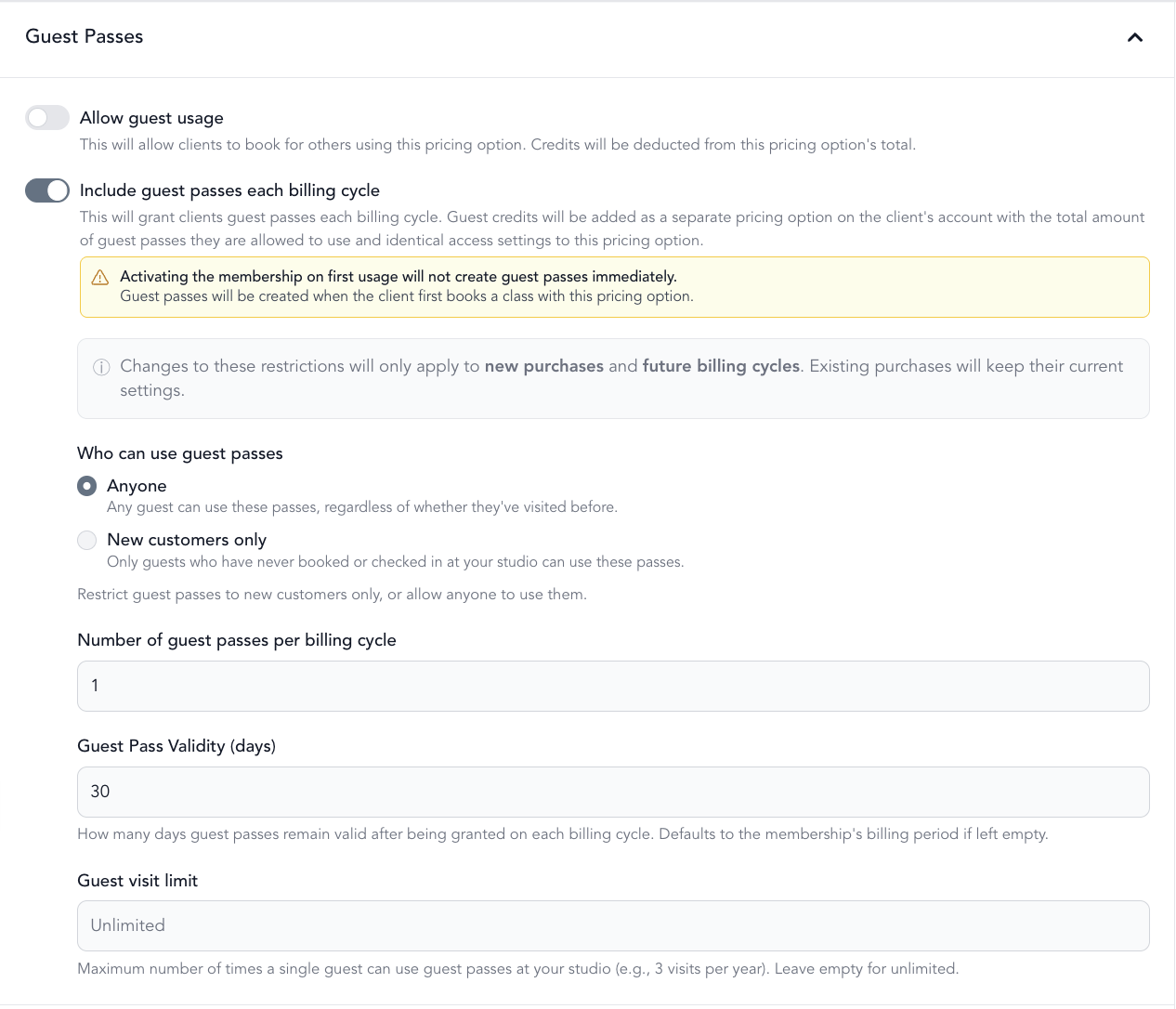
Allow guest usage — the member uses their own class credits to bring a guest. Bringing a guest costs 1 credit from their existing pool.
- Example: Member has 20 monthly credits. They bring a guest = 19 credits remain.
Include guest passes each billing cycle (most common) — the member gets a separate set of guest-only credits that renew each billing cycle. Their regular class credits stay untouched.
- Example: Membership includes 20 class credits + 1 guest pass/month. Bringing a guest uses the guest pass, not the 20 credits.
Set up guest passes
-
Go to Setup → Pricing Options
-
Create or edit a membership
-
Under Guest Passes, choose one of the two modes above
-
Configure:
- Who can use guest passes — anyone, or new customers only
- Number of guest passes per billing cycle
- Guest pass validity (days) — how long each pass is valid after it's granted
- Guest visit limit — max times a single guest can use passes (e.g., 3 visits/year, then they must become a paying member)
-
Save
Tracking guest passes
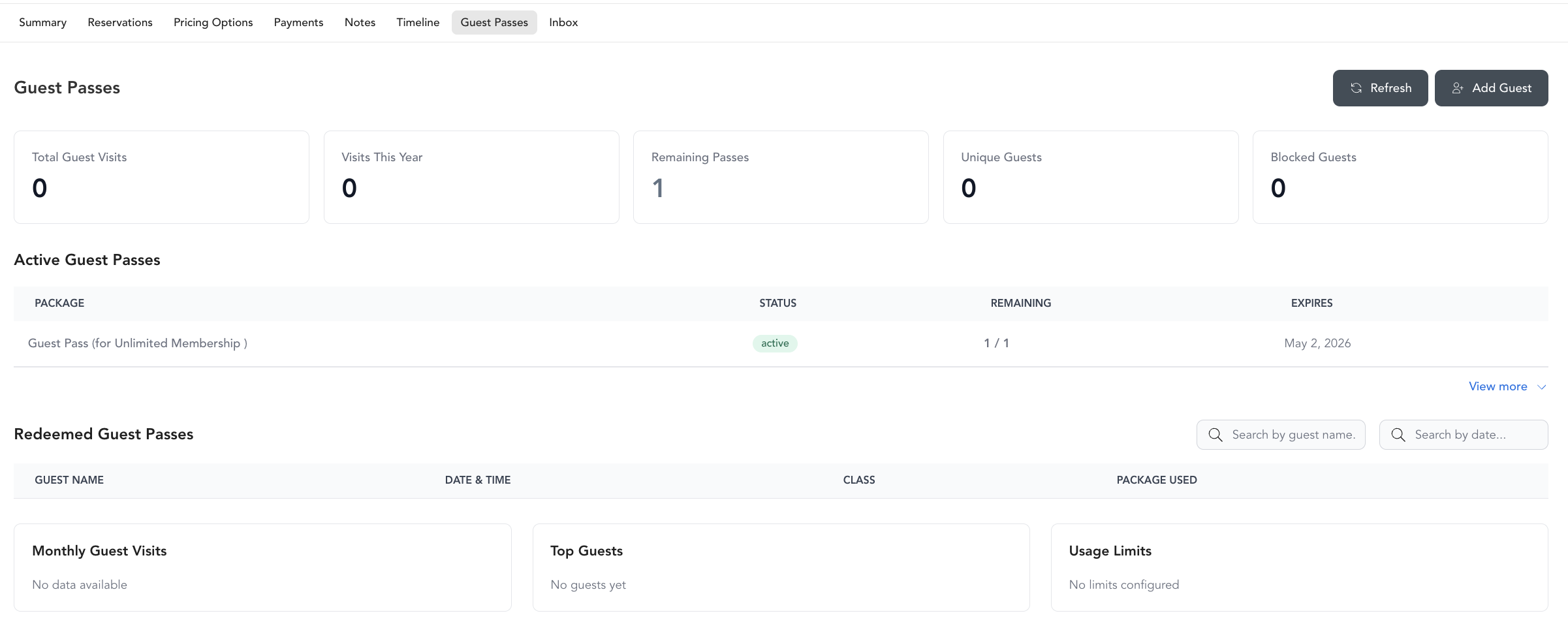
Guest pass usage is tracked on the client's profile under a Guest Passes tab. You can see:
- Total visits brought in
- Remaining passes
- Unique guests
- Blocked guests (who've hit the visit limit)
Encouraging conversion
The guest visit limit is your conversion tool. If a guest can only visit 3 times before being blocked, they have a natural deadline to convert to a paying membership. Use automations to follow up with guests after their first visit.
Troubleshooting guest passes and credits
When Allow guest usage is on, each guest booking is expected to use one of the member's own credits — that's by design unless a separate guest pass is configured. These are the most common mix-ups and how to fix them.
Notes
- Guest pass settings only apply to new purchases and future billing cycles — existing members keep their current configuration until they renew or you update their specific subscription
- Changes to a pricing option's guest pass settings don't retroactively affect active subscriptions