
Automated discounts
Set up discounts that apply automatically without a promo code.
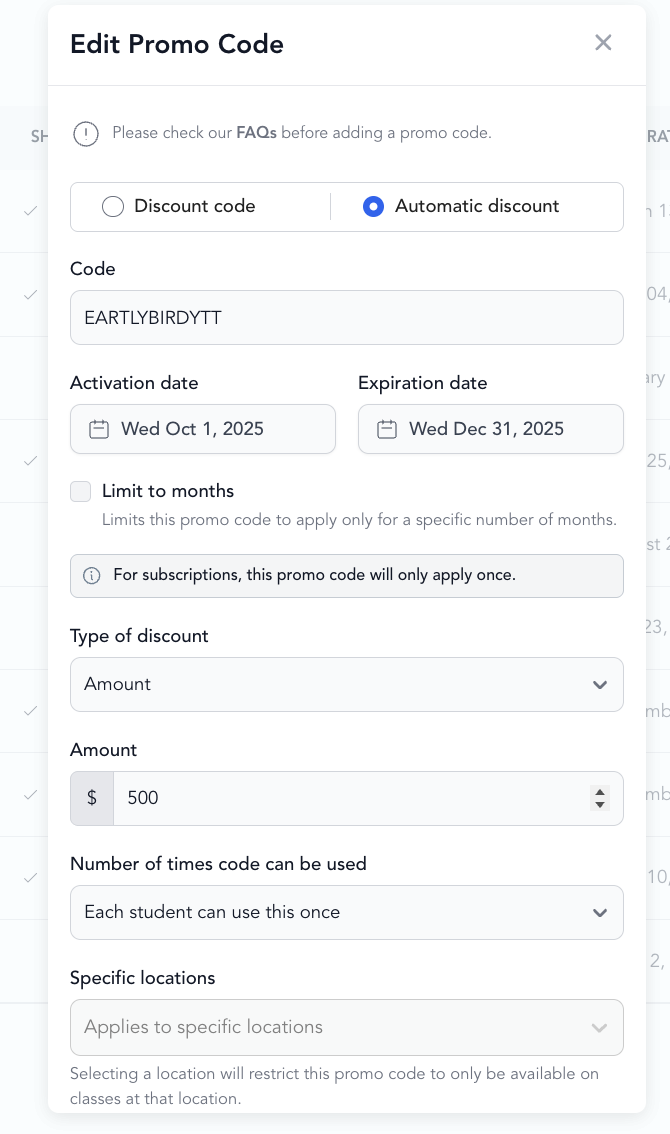
Automated discounts apply to purchases automatically — no code needed. They're rule-based: when a client purchases a qualifying item, the discount is applied at checkout without any action from them.
Create an automated discount
-
Go to Setup → Promo Codes (or Automated Discounts)
-
Click Add New
-
Select Automated Discount
-
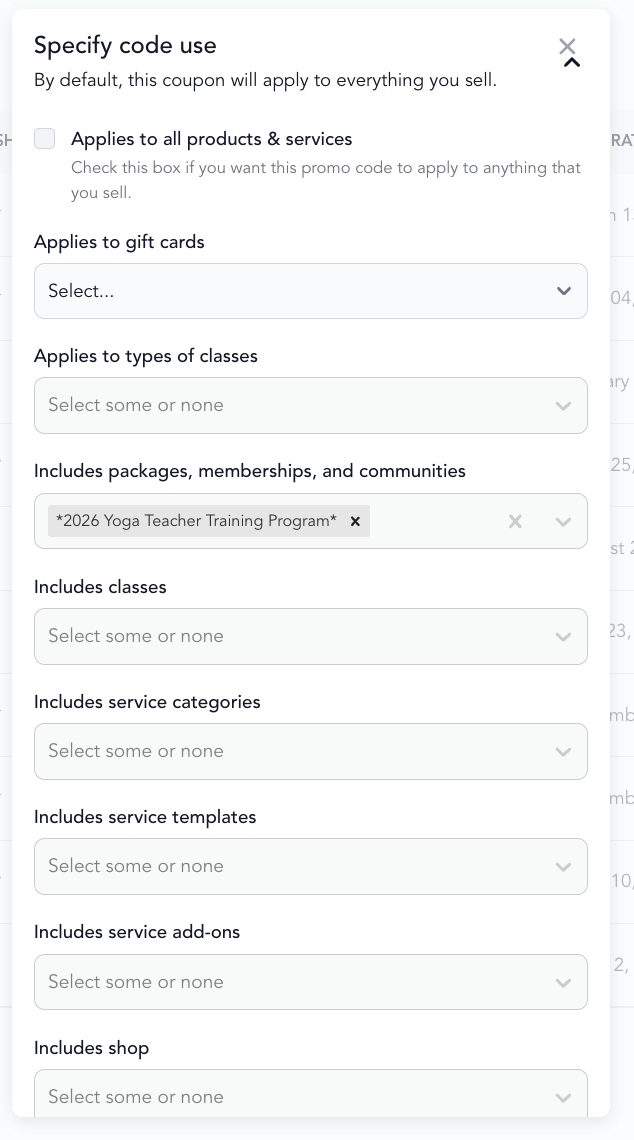
Configure the conditions:
- Which pricing option triggers the discount
- Which pricing option gets the discount applied
- Discount amount — percentage or fixed amount
-
Save
Use cases
Multi-class pack upgrade incentive When a client buys a 10-class pack, automatically discount a 20-class pack to encourage them to buy the larger option.
Membership upgrade When someone is on a basic membership, offer them a discounted add-on automatically.
Loyalty reward After a client's third purchase, they automatically get 10% off their next pack — no code needed.
Bundle discount When clients buy a class pack and also purchase a merchandise item in the same session, apply a 15% discount automatically.
Automated vs. standard promo codes
| Standard promo code | Automated discount | |
|---|---|---|
| Requires code | Yes | No |
| Applies automatically | No | Yes |
| Rule-based | No | Yes |
| Best for | Marketing campaigns, one-time offers | Always-on discounts, loyalty programs |
Looking to reward members with automatic perks like discounts on retail, events, or private sessions? See member perks discounts for a step-by-step guide.
How discounts apply to bundles
Bundles are their own pricing option type, separate from class packs and subscriptions — even when a bundle contains those items. Because of that, a discount does not automatically apply to a bundle just because it applies to a pack, subscription, or product inside the bundle.
Three types of discount can apply to a purchase:
- Manual promo codes — the client enters the code at checkout
- Automatic promo codes — apply automatically at checkout for all customers, based on the eligibility of the purchase
- Automated member discounts — apply automatically based on the customer eligibility rules you set
A discount applies to a bundle only if it is explicitly scoped to include bundles. To have it apply at checkout, scope the discount to Packages, subscriptions, and bundles (Arketa groups bundles under the Packages, subscriptions, and communities category) or to the specific bundle itself — and the client must meet your eligibility criteria.
Why a member discount isn't applying to a bundle
If a member checks out with a bundle and the expected discount doesn't appear, work through these causes in order.
Viewing usage
Automated discounts are tracked in your payment reports the same way as manual promo codes. You can see the discount applied on individual client payment records.