
File types and limits
Supported video formats, upload size limits, and how to reduce large files.
Size limit
Arketa allows unlimited video uploads with a maximum of 5GB per video file. Most fitness class recordings fall well under this — a one-hour class recorded at 1080p/30fps is typically 2–4GB.
Upload speed
Upload time depends on your file size and internet speed:
| Internet speed | 1GB file |
|---|---|
| 5 Mbps | ~27 minutes |
| 10 Mbps | ~13 minutes |
| 20 Mbps | ~7 minutes |
| 50 Mbps | ~3 minutes |
| 100 Mbps | ~1.5 minutes |
You can calculate your exact expected time at downloadtimecalculator.com. While a video uploads, you can open another browser tab and continue working.
Recommended format
Upload videos as MP4 with H.264 encoding. This format plays on virtually every browser and device without issues.
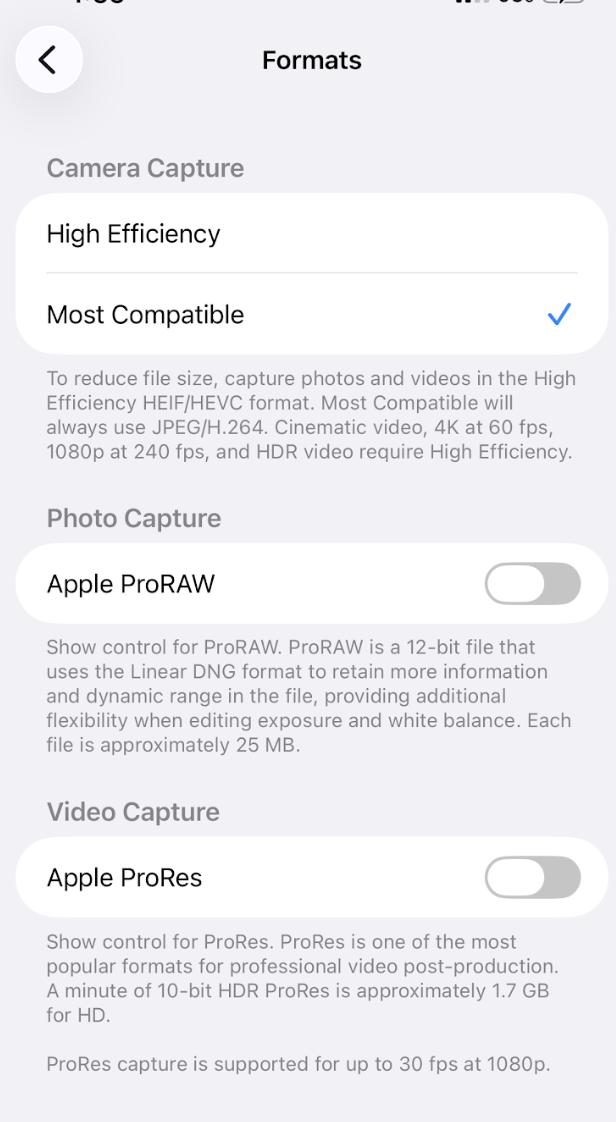
For iPhone recordings: Go to Settings → Camera → Formats and select Most Compatible before recording. This ensures your video exports in a compatible format without any conversion needed.
Reducing large files with Handbrake
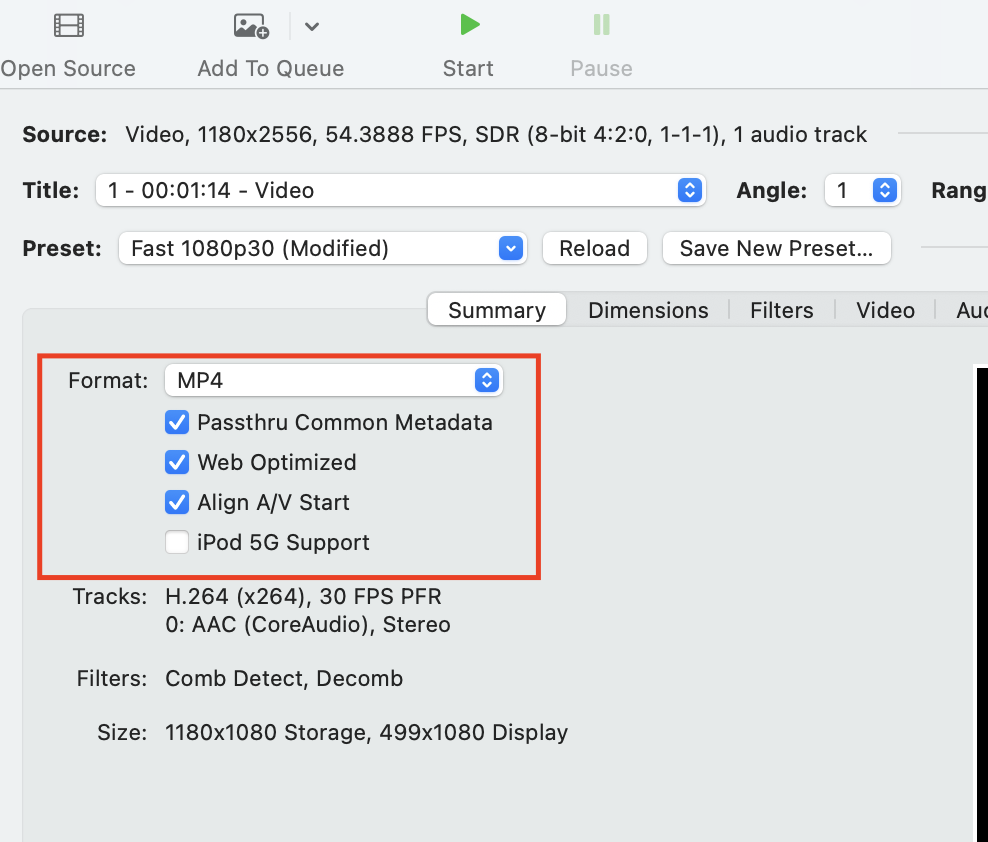
If your video is too large or having playback issues, Handbrake is a free tool that compresses video files without noticeable quality loss.
- Download Handbrake
- Open your video file
- Use the recommended preset settings (H.264, 1080p, 30fps)
- Click Start
A few things that make files larger than they need to be:
- 60fps recording — 30fps is plenty for fitness content and cuts file size roughly in half
- 4K recording — clients can't tell the difference between 1080p and 4K on their screens, but 4K files are 4x larger
- Third-party editing software — some apps add extra data that inflates the file