
Schedule a video release
Set a future release date so your video goes live automatically at a specific time.
Instead of publishing a video immediately, you can schedule it to go live at a future date. This is great for dripping content on a program schedule, batching recordings in advance, or launching a series at a specific time.
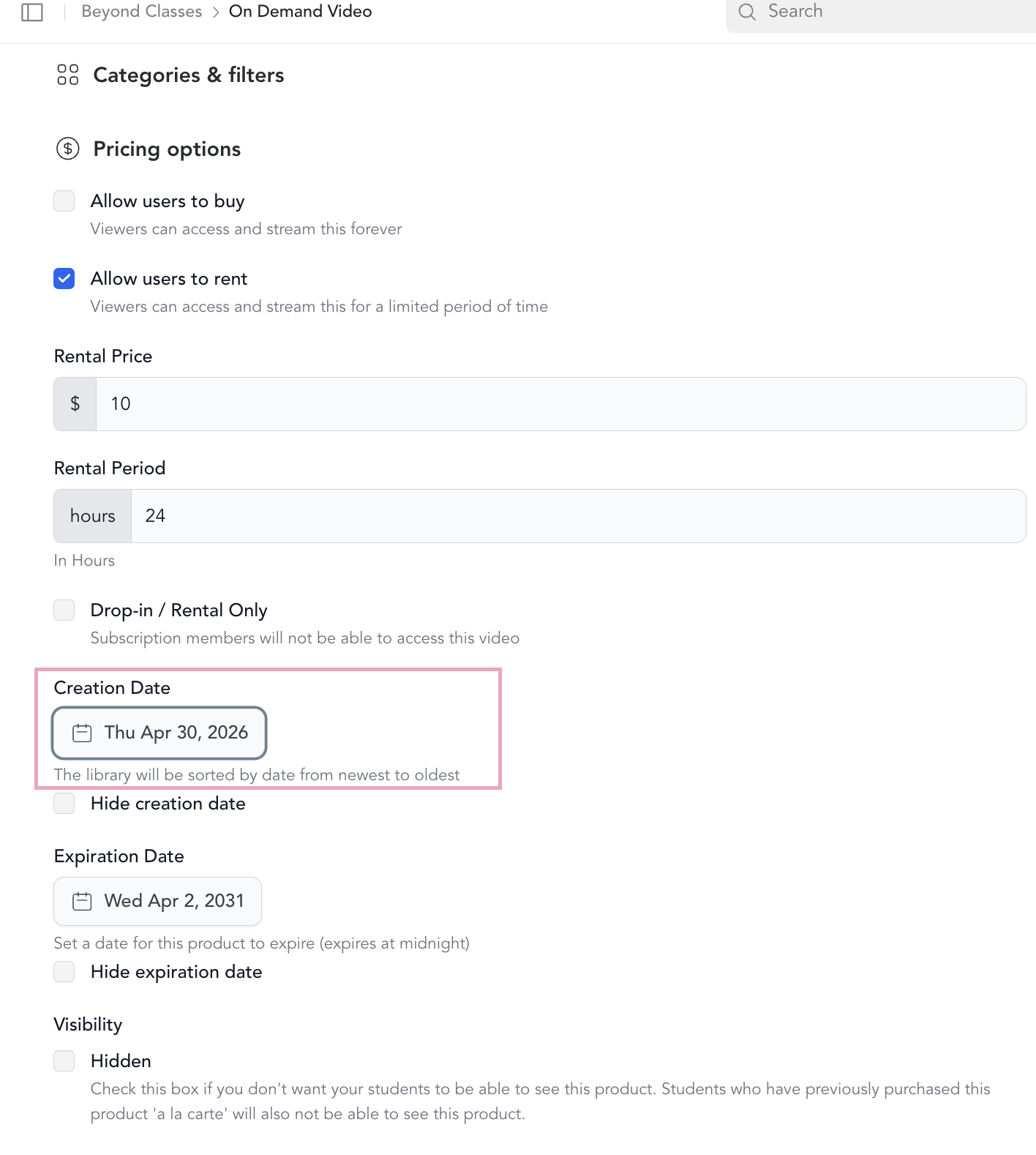
Set a release date
When adding or editing a video:
- Go to Beyond Classes → On-Demand Video → open the video (Add New or edit existing)
- Expand Pricing & Configuration
- Change the Creation date to a future date and time
- Save
The video will automatically go live at 12:00 AM on the date you set.
What you'll see in the dashboard
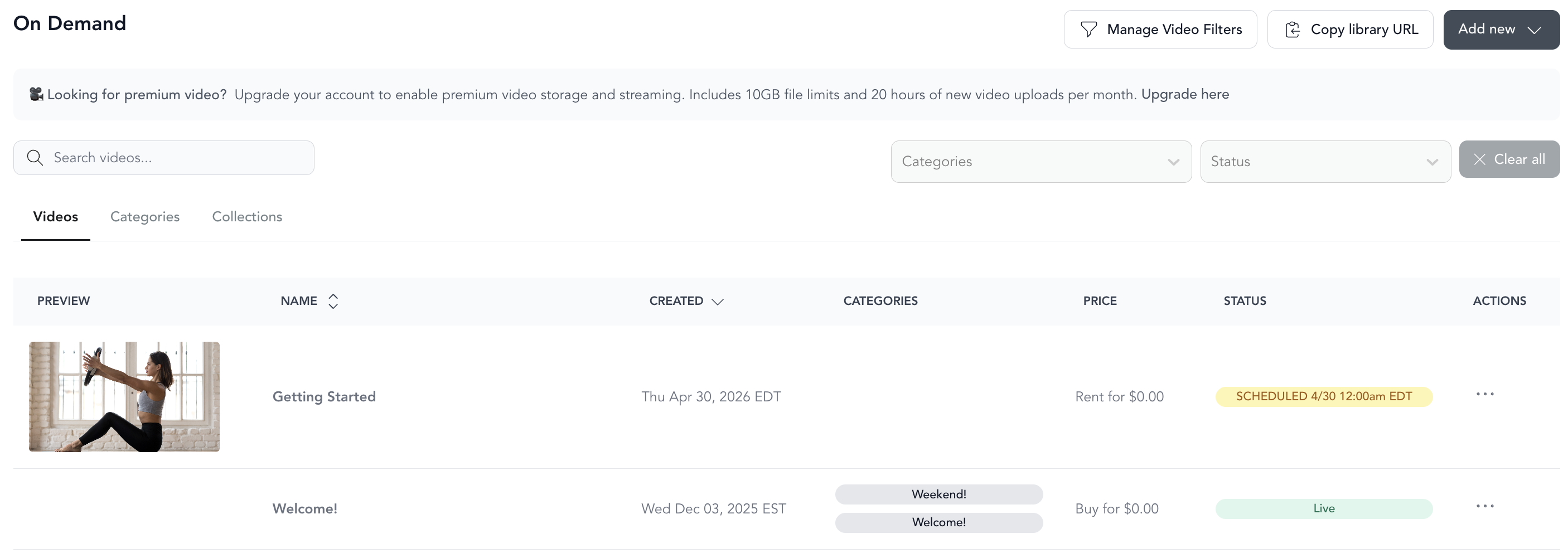
Videos with a future release date show a status tag next to their name indicating when they'll go live. Once the video is published, the status updates to Live.
Hiding a scheduled video
If you want to set up the video in advance but keep it completely out of sight until it's live, check the Hidden box when saving. It won't appear in the library until the release date.
If you want clients to see it's coming (like a teaser), leave Hidden unchecked — they'll see the video listed but won't be able to watch it until the release date.
Setting an expiration date
You can also set an Expiration date — the video will automatically be removed from your library on that date. Useful for:
- Time-limited challenges
- Class recordings you only want available for a set window
- Seasonal content
Use cases
- Batch recording sessions — record a month of content at once, then schedule them to release weekly
- Program drip — release Day 1, Day 2, Day 3 of a program on consecutive dates
- Going on vacation — keep your library fresh while you're away without manually publishing