
Video in communities
Share videos between your on-demand library and community portals without re-uploading.
You can move videos between your on-demand library and your community portals using the duplicate feature. This lets you reuse content for challenges, programs, or 1-on-1 training without uploading the file a second time.
Copy a video from your library to a community
- Go to Beyond Classes → On-Demand Video
- Find the video you want to share
- Click the ... menu next to the video
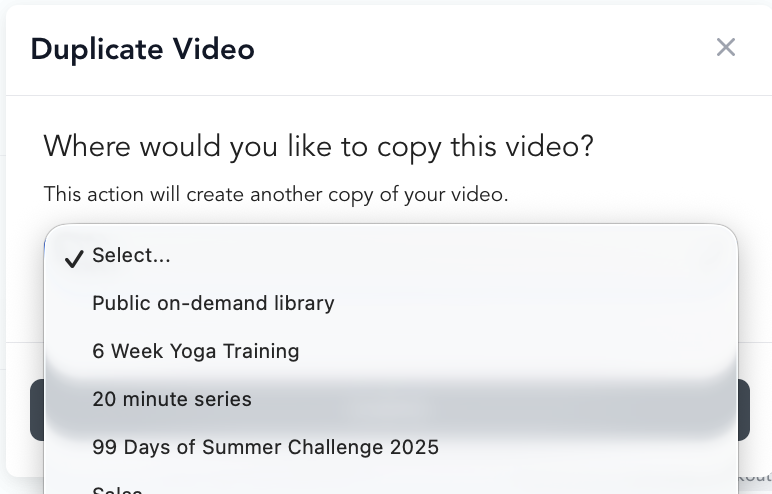
- Click Duplicate video
- Choose the community you want to send it to
The video will now appear in both your on-demand library and the community you selected. The original stays in your library — it isn't moved or removed.

Copy a video from a community to your library
It works the same way in reverse:
- Go to the community's video library
- Find the video
- Click ... → Duplicate video
- Choose On-demand library as the destination
What gets copied
Everything about the video duplicates — name, thumbnail, description, filters. The one thing that doesn't transfer is category assignment, so you'll need to add the duplicate to categories manually.
The community must already exist before you can duplicate a video into it.
Why this is useful
- 30-day challenges — keep the videos in your public library and copy them into a challenge community
- Specialized programs — offer certain content only to community members
- 1-on-1 training — share specific videos with a client's private community portal
- Membership perks — give members access to content in a community that non-members can't reach