
Reviews and testimonials
Collect client reviews after class and display them on your website.
Arketa collects reviews automatically after class — clients who were checked in receive a review request email 15–20 minutes after the class ends. If a client is checked in after that window, the email sends immediately.
How review emails work
The review request goes out automatically — no action required on your end. You can edit the content of the email in Settings → Transactional Messages (look for "Customer review request").
View and manage testimonials
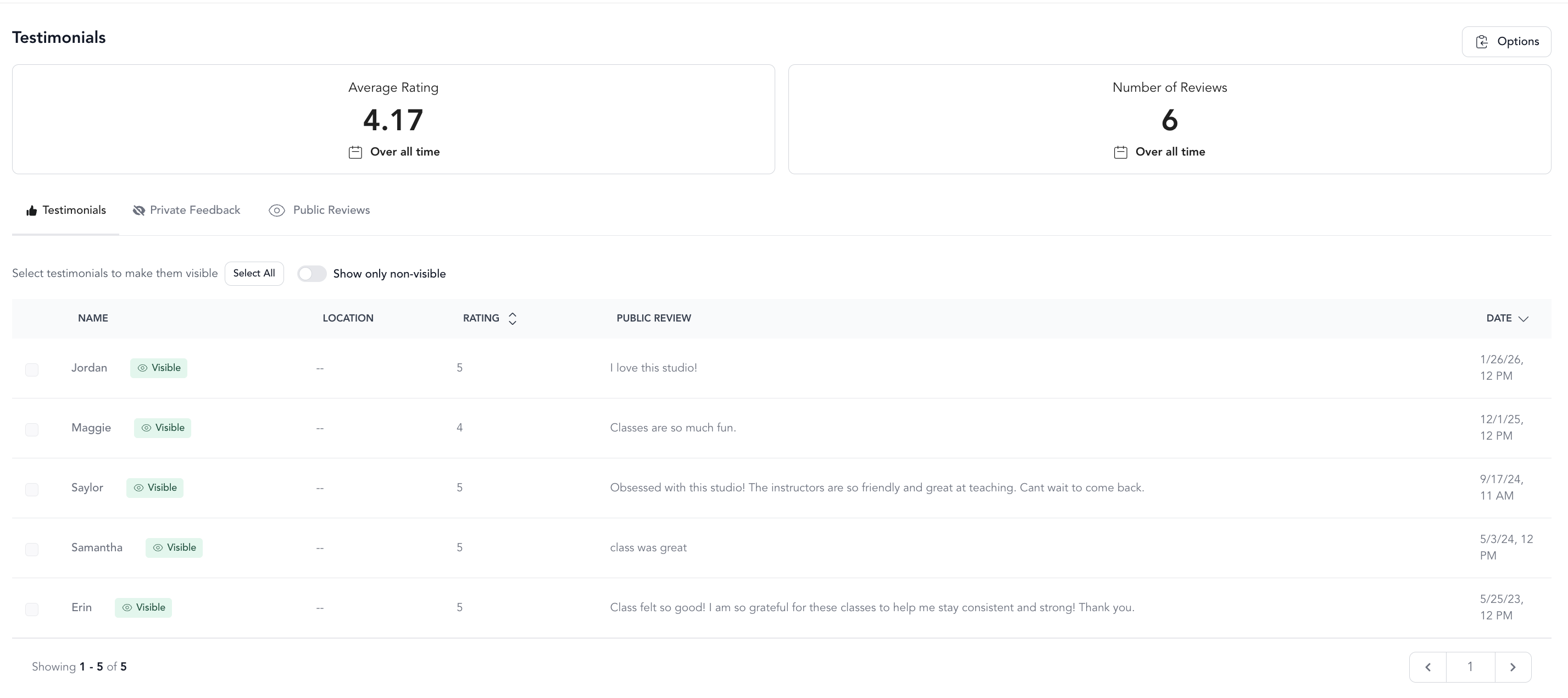
Go to Marketing → Testimonials to see all submitted reviews.
From this page you can:
- Read all reviews your clients have submitted
- Reorder reviews by dragging and dropping
- Select which reviews to feature
Only 4- and 5-star reviews appear in your public testimonials embed.
Share a review link
To send clients a direct link to write a review:
https://app.arketa.co/[YOUR-WIDGET-NAME]/write-review
Replace [YOUR-WIDGET-NAME] with your Arketa widget name (the same one used in your booking links).
Embed testimonials on your website
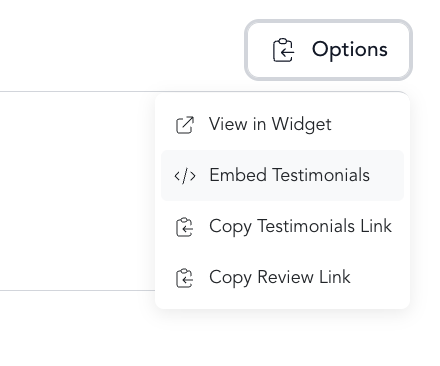
- Go to Marketing → Testimonials
- Click Options
- Click Embed Testimonials
- Copy the embed code and paste it into your website
Connect Google Reviews
You can link your Google Business profile so that after clients write a review in Arketa, they're prompted to also post it on Google.
Google Business integration is available on Studio plans only.
To connect:
- Go to Settings → Integrations
- Find Google Business and click Connect
- Enter your business name and click Connect again
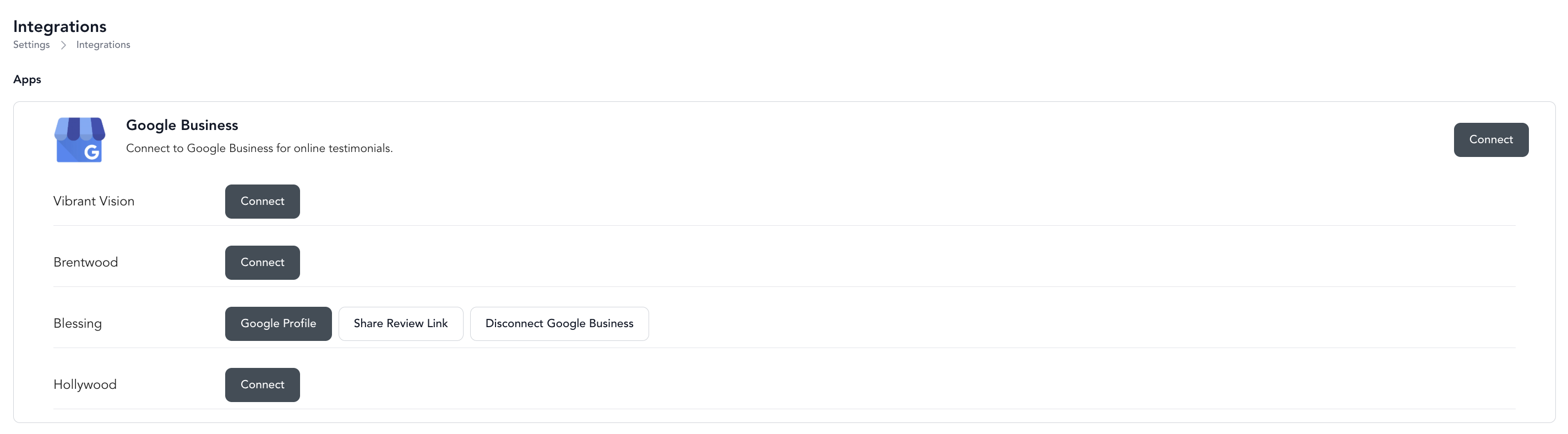
Once connected, after a client submits a review in Arketa, they'll see an option to post the same review to your Google Business profile.
Requirement: Your Google Business account must be set up before connecting. Your Arketa business name should match your Google listing — if they don't match, your listing may not appear.
Use the review email in automations
You can also trigger review requests through automations using the {{customerReviewUrl}} handlebar in an email action. This lets you send review requests after milestones or specific actions rather than (or in addition to) the automatic post-class email.