
Arketa Agent
Describe a segment, broadcast, or automation in one sentence and Arketa Agent drafts it for you to review.
Arketa Agent builds your marketing for you. Tell it who you want to reach and what to say, and it drafts a segment, a broadcast, or an automation using your real pricing options, segments, and merge tags. Nothing goes live until you approve it.
Describe it: build a draft from one sentence
On the Segments, Broadcasts, and Automations pages, click Create → Agent.
Describe what you want
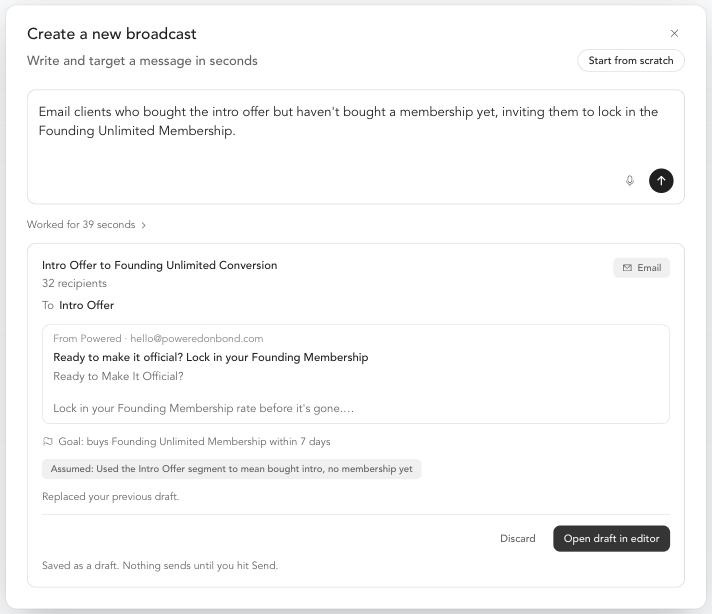
Type one sentence, or click the microphone to say it out loud. For example: Email clients who bought the intro offer but haven't bought a membership yet, inviting them to lock in the Founding Unlimited Membership.
Wait about 45 seconds
Agent builds the draft against your studio's real catalog, then shows you a preview.
Review the preview
Check the audience, message, and goal. Anything Agent could not include is listed under Couldn't include.
Save the draft
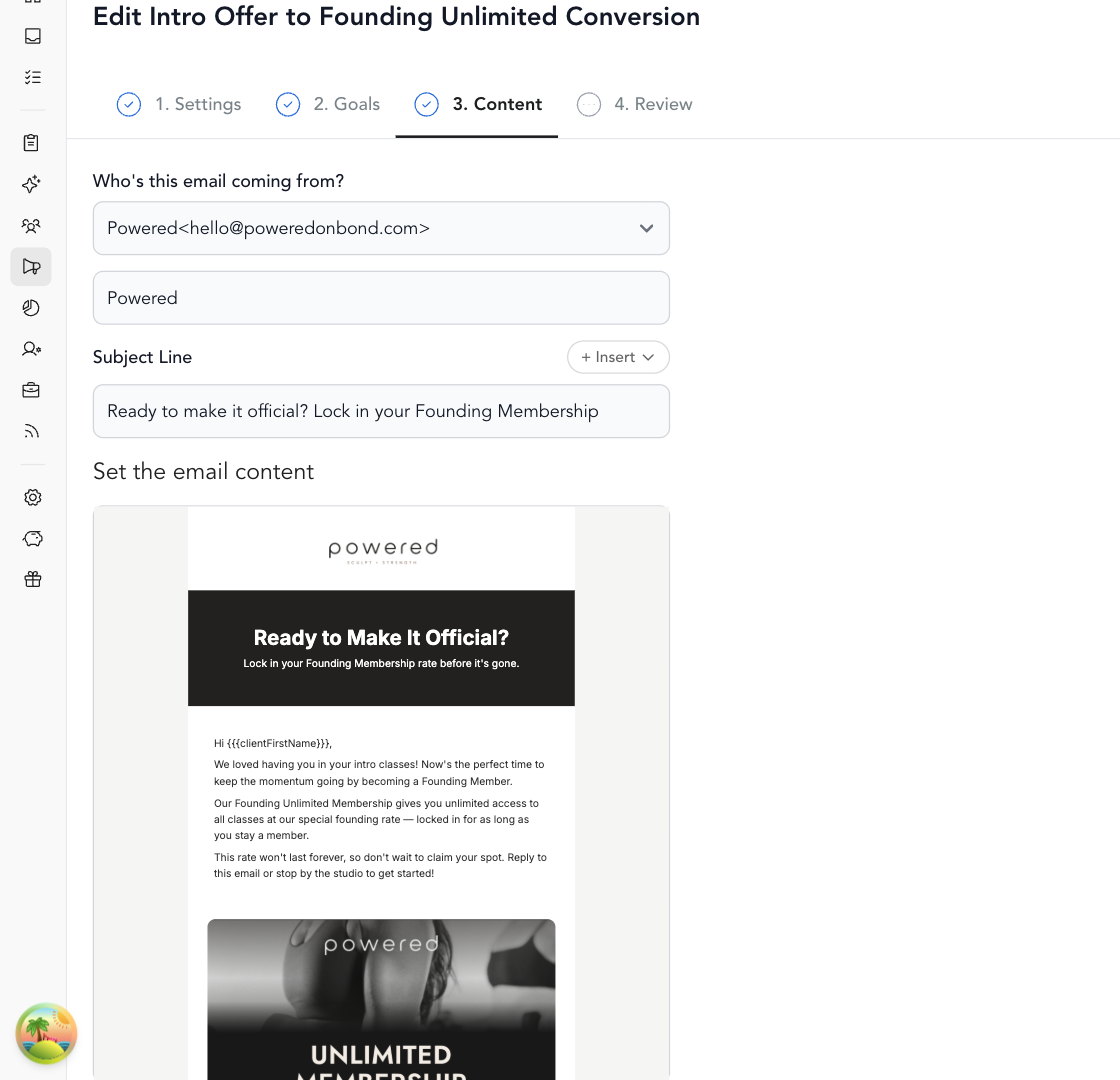
Agent saves it as a draft (broadcasts) or turned off (automations). Click Open draft in editor to make changes and finish it.
Broadcasts
A broadcast preview shows the recipient count, the audience, the goal, and a branded visual email with your logo, your offer image, and buy buttons added automatically. Nothing sends until you click Send.
Automations and yes/no splits
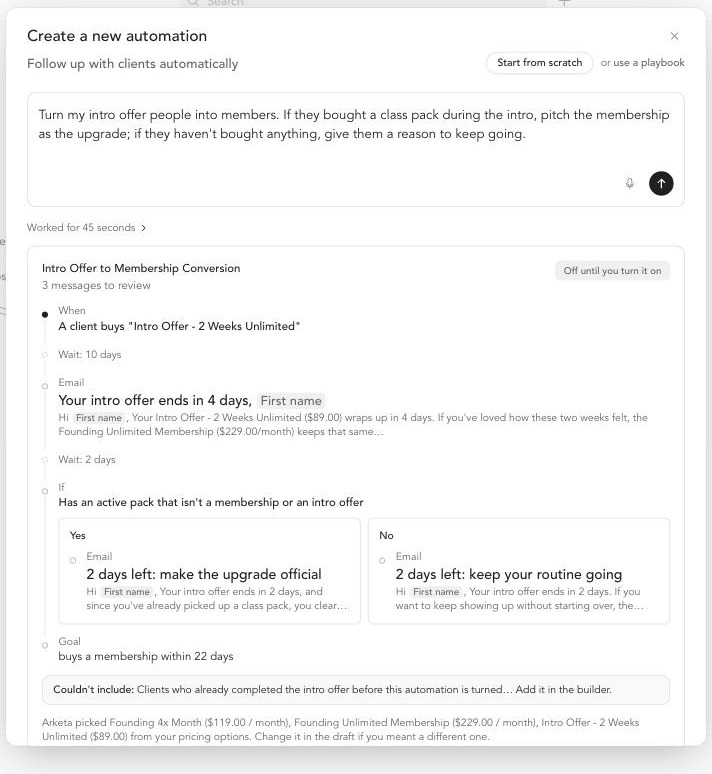
Agent can build an automation with a conditional, a yes/no split that sends different messages to different clients. It adds one only when tailored messages are likely to bring in more revenue. For example, intro offer buyers who bought a class pack get an email pitching a membership upgrade, and those who bought nothing get a keep-going email. The goal is set to buys any membership.
Things to know about automations:
- The automation is saved turned off. Turn it on when you're ready.
- An automation that starts from an event only enrolls clients from the moment you turn it on.
- Each automation can have one conditional. It can check active purchases or tags.
Ask Agent in chat
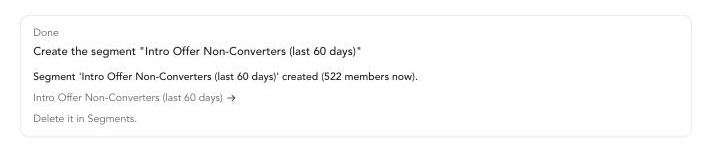
Click Agent at the top right of the dashboard and ask for a change, such as creating a segment, a broadcast draft, or an automation draft. Agent proposes the change in an approval card. Nothing runs until you approve it.
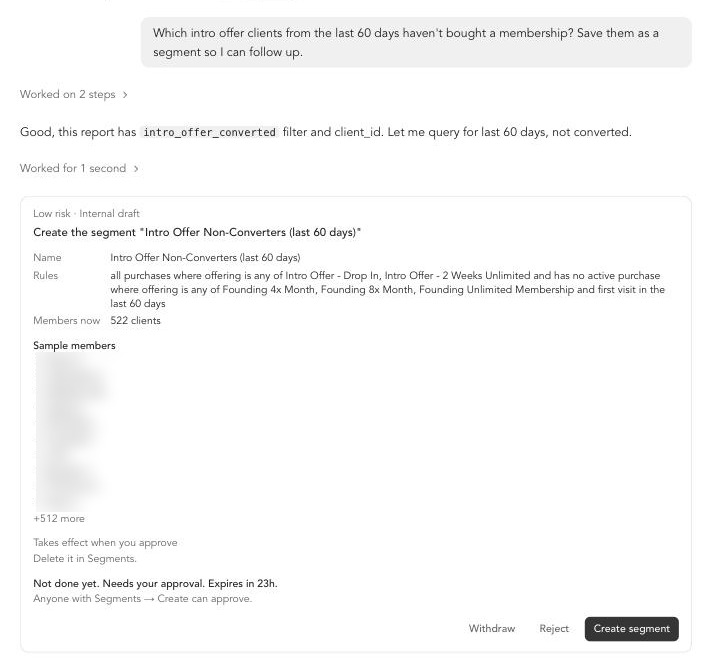
After you click approve, Agent creates the draft and confirms what it made.
Dictate instead of typing
Click the microphone in any Agent input and speak. Dictation uses your browser's built-in speech-to-text, so there's nothing to set up. It works in Chrome, Edge, and Safari.
AI usage
Agent is free to use right now. To see how much you've used, go to My Plan.
