
Buy a membership or class pack
How to purchase a membership, class pack, or drop-in to start booking.
Your studio offers different pricing options depending on how often you plan to come. Here's how to buy one.
Purchase online
- Go to your studio's website or pricing page
- Find the membership, class pack, or drop-in option you want
- Click Buy or Get started
- Create an account or log in if prompted
- Enter your payment details and complete checkout
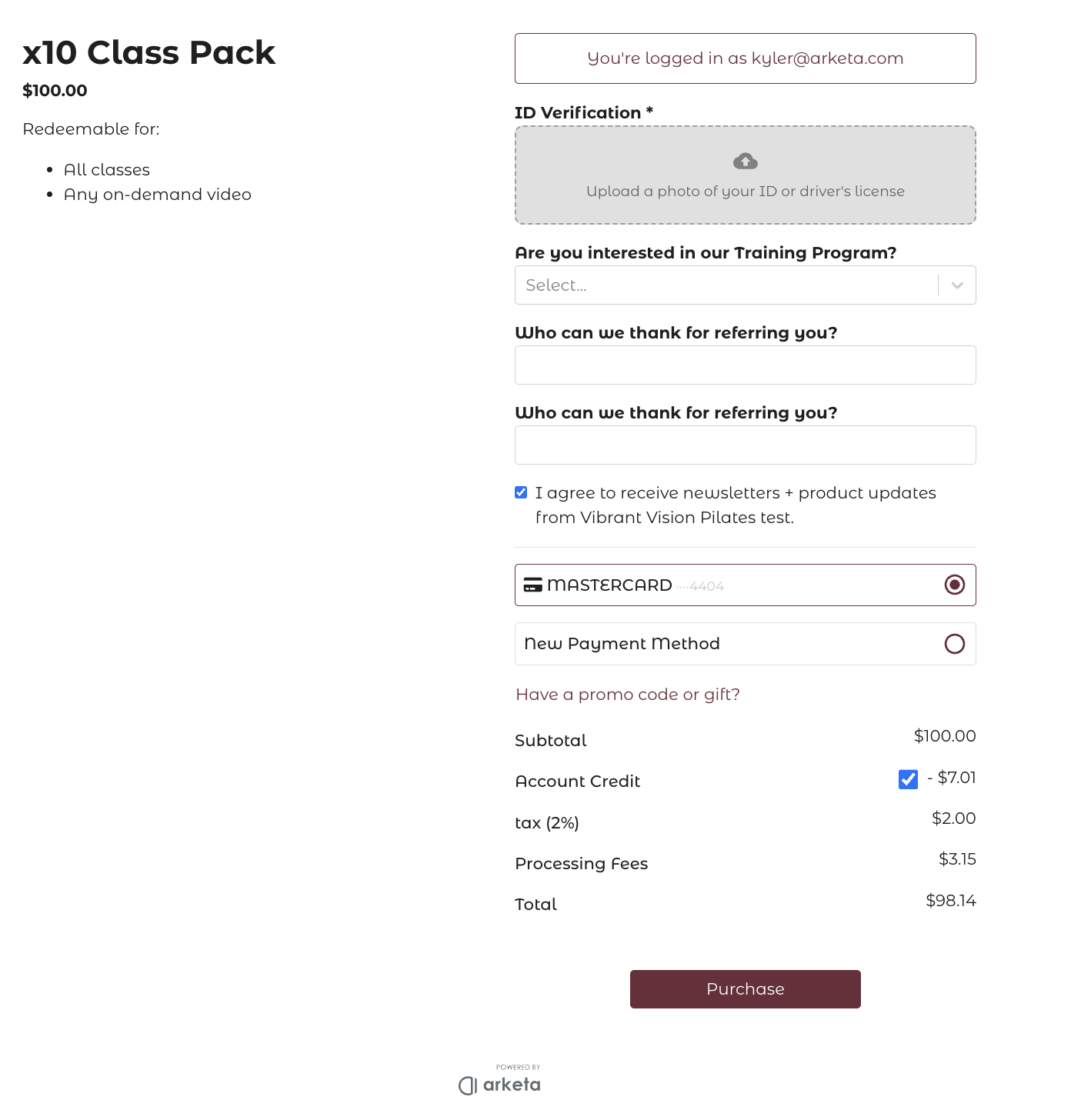
You'll receive a receipt by email, and your membership or credits are available immediately.
Purchase in the app
If your studio has a branded mobile app:
- Open the app and go to Shop or Pricing
- Tap the option you want to purchase
- Follow the checkout prompts
Types of pricing options
| Type | How it works |
|---|---|
| Drop-in | Pay per class — no commitment |
| Class pack | Buy a set number of classes to use over time |
| Unlimited membership | Pay monthly (or weekly/annually) and attend as many classes as you want |
| Credit membership | Monthly billing gives you a set number of credits each cycle to use for classes |
Your studio may offer additional options like intro offers, bundles, or event tickets.
Using your membership to book
Once you have an active membership or class pack, credits are applied automatically at checkout when you book. You don't need to enter any payment info each time — just select the class and confirm.
View your active memberships and credits
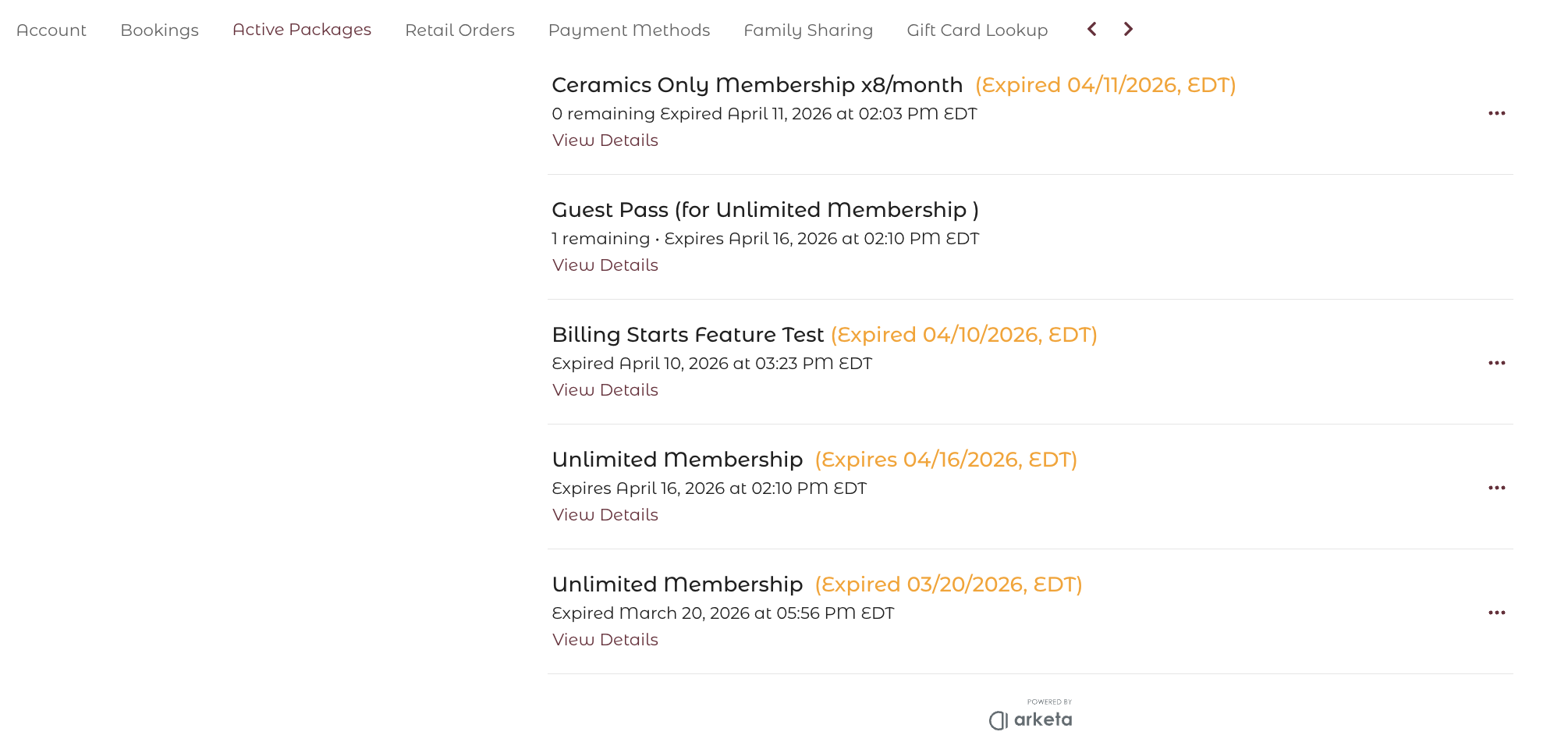
Log in to your account and go to My Account or Active Packages to see what you have, how many credits remain, and when your next billing date is.
Was this helpful?