
Community forum
Add a private discussion space to any community or program.
A community forum gives members a private space to post updates, ask questions, and connect with each other — all inside your website, protected by a purchase paywall.
Forums work for paid programs, membership communities, and challenges. They're similar to Facebook Groups or Mighty Networks, but live within your Arketa-powered site.
Enable a forum
- Go to Beyond Classes → Communities
- Click on the community name
- Go to the Settings tab
- Check Turn on community forum

What members see
The forum is a feed of posts. Members can:
- Create new posts
- Comment on existing posts
- Reply to comments
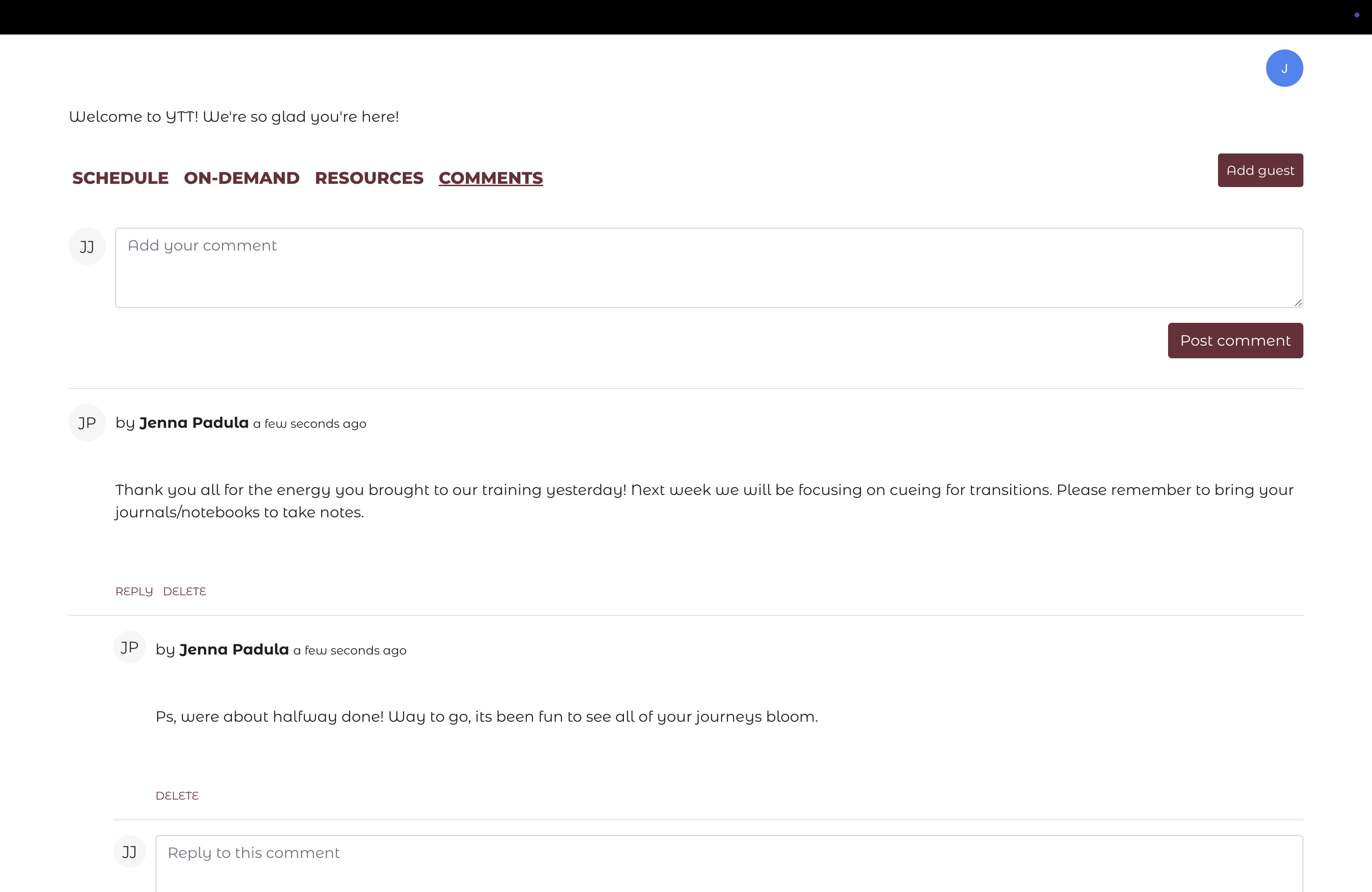
Replying as the business owner
To reply to forum posts as yourself, you need to be inside the community as a client (not as the admin). Purchase access to your own community or have the Arketa team add you as a member.
When to use a forum
- Challenges — daily accountability posts, progress check-ins
- Courses — Q&A with the instructor, discussion by module
- Membership communities — ongoing connection between members
- Teacher training — cohort discussion and peer learning
The forum increases the perceived value of your program and drives retention — members who are connected to each other have more reason to stay.