
Bonus content
Include additional classes and content as bonuses in a community.
When building a community, you can include other services as bonus items — adding value without creating new content.
Add bonus items
- Go to Beyond Classes → Communities
- Click into the community
- Click the Settings tab
- Under Bonus Items Included, select the classes or content to include
- Save
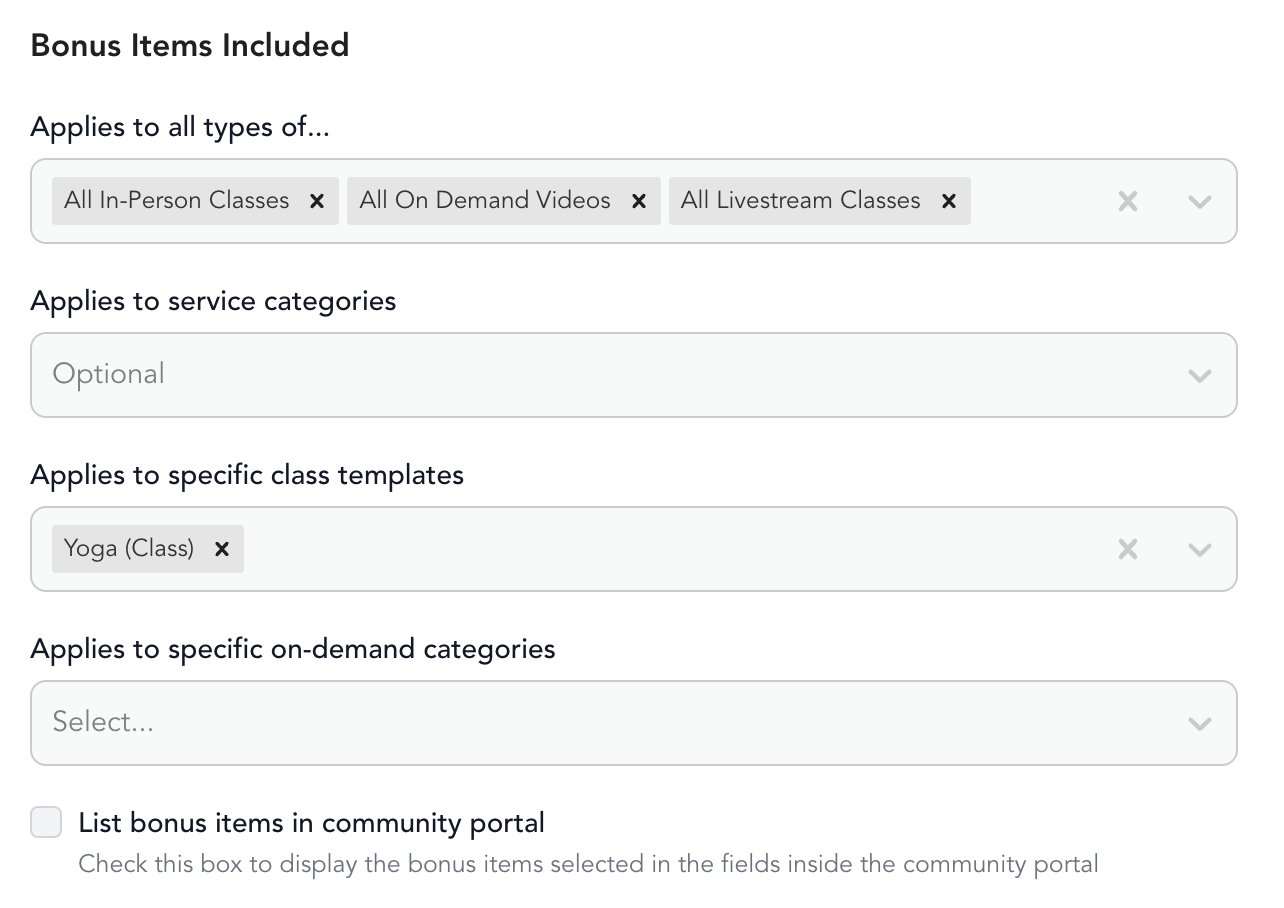
Bonus items can be on-demand videos from your library or access to specific class types.
What clients see
If you check the box to list bonus items in the community portal, members see all content — both exclusive and bonus — in one place.
Offer a taste of another modality as a bonus: include some yoga classes in a strength challenge, or add a few meditation videos to a nutrition program. This exposes clients to offerings they might purchase separately after the community ends.
Reusing video content
You don't need to re-upload videos. Duplicate any video from your on-demand library directly into the community:
- Go to On-Demand → Videos
- Click the ... next to a video → Duplicate video
- Select the community to send it to your desired community
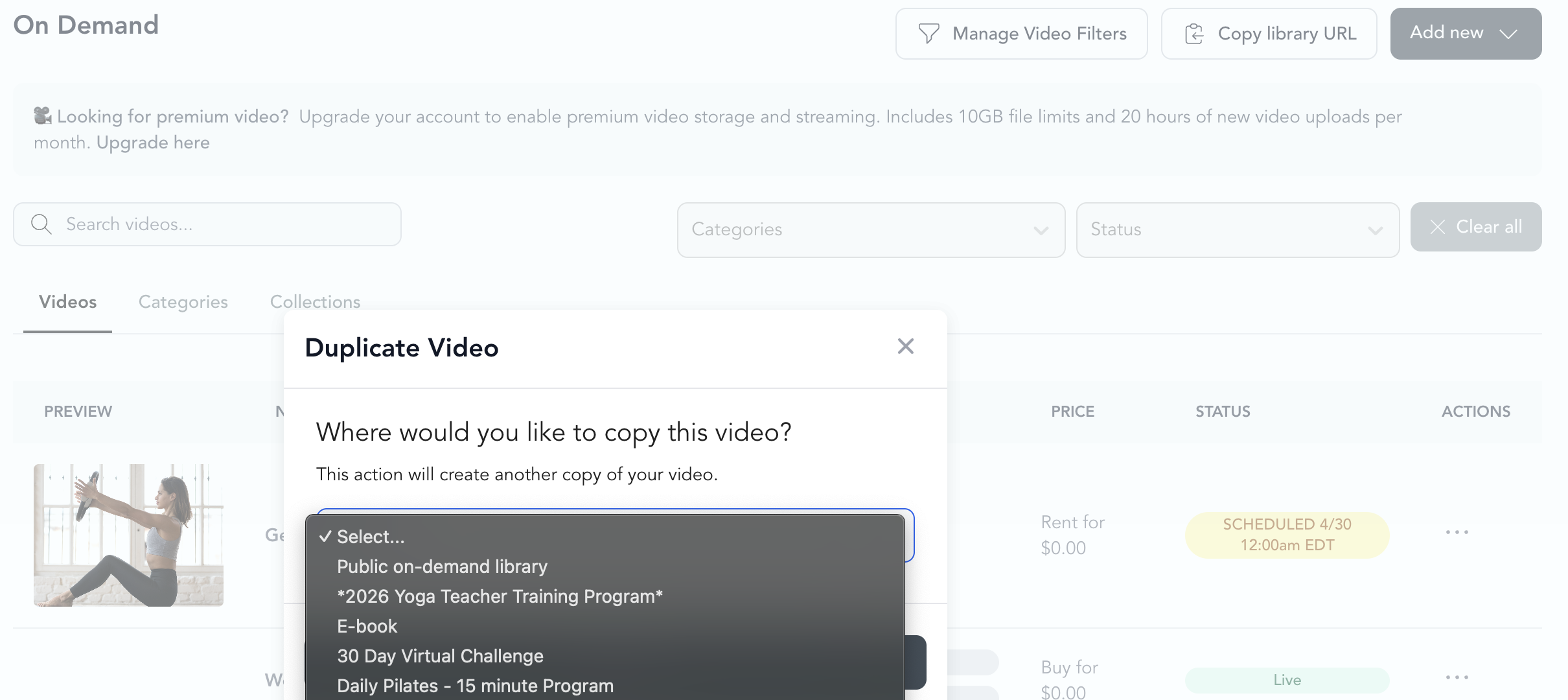
The video is copied — not moved. It stays in your library and also appears in the community. You can rename or edit the community version independently.
To go the other direction (community video → public library), do the same thing from inside the community's video tab.