
Add an appointment service type
Create the types of private sessions or appointments your clients can book.
Service types are the templates for each appointment offering — things like "60-min Private Training", "30-min Consultation", or "Reiki Session". Each service type defines the duration, pricing, and which instructors or rooms it can be booked with.
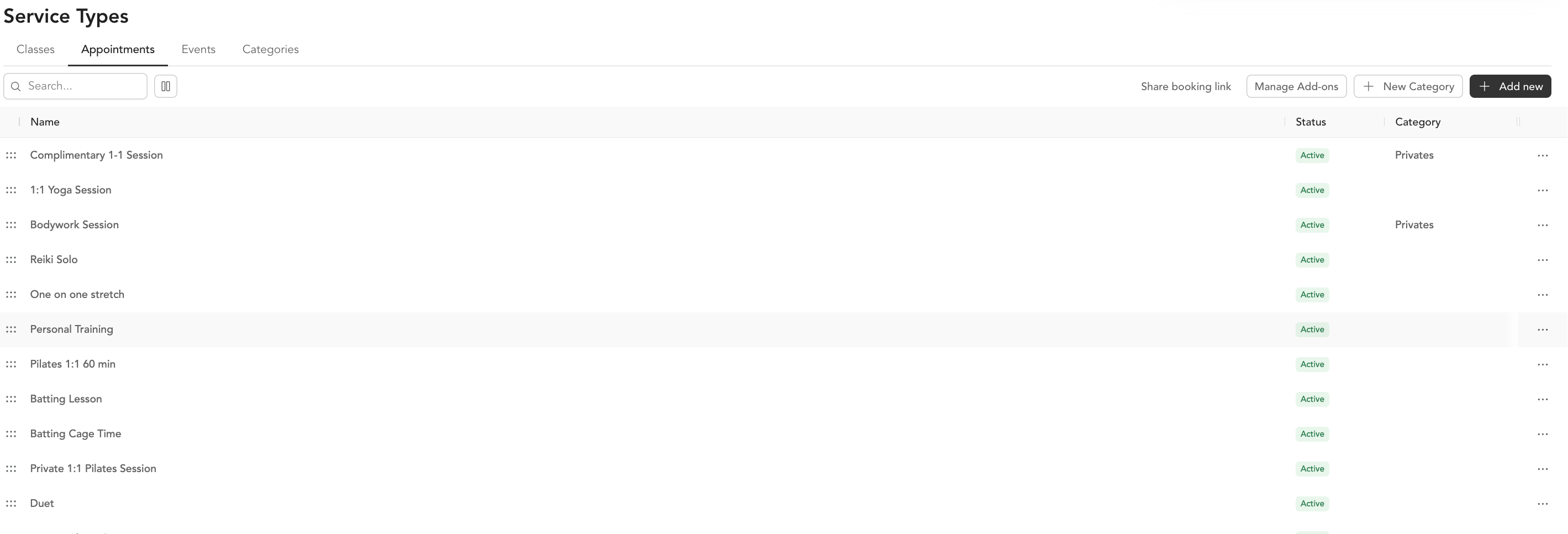
Create a service type
- Go to Setup → Service Types
- Click Add New
- Select Appointment (or Private on some plans)
- Fill in the details:
Basic details:
- Name — what clients see when booking (e.g., "60-min Personal Training")
- Duration — how long the session runs
- Description — helps clients understand what to expect
- Category — grouping for organization and search
- Preview image — shown on the booking page
Pricing:
- Set whether clients can pay drop-in, with a package, or subscription
- Add drop-in pricing if applicable
Advanced settings:
- Booking restrictions — require clients to have a specific tag to book
- Add-ons — allow clients to add optional extras at checkout
- Click Save to activate the service type
Service categories
Categories help organize your appointment types, especially if you offer several different services. For example: "Private Training", "Wellness", "Coaching". Set these in Setup → Service Types → + New Category.
What happens after you create it
Once the service type is active, it will:
- Appear on your appointments booking page for clients
- Be available to assign to instructors in their availability settings
- Show up in payroll reporting if you've set pay rates
Add-ons at checkout
You can add optional extras that clients see during checkout — like extending the session by 15 minutes or adding a foam roller rental. These are configured under Manage Add Ons on the service type. See the retail section for post-checkout add-ons in the mobile app.