
Recurring appointments
Set up appointments that repeat on a regular schedule for ongoing clients.
Recurring appointments are great for clients who see you on a regular cadence — weekly personal training sessions, biweekly massage appointments, monthly check-ins. Instead of booking each session individually, you set a recurring schedule and Arketa handles the rest.
Create a recurring appointment
When scheduling an appointment from the calendar:
-
Go to Classes → Appointments
-
Click or drag into the time slot
-
Select the service, instructor, and payment method
-
Look for the Recurrence option
-
Set:
- Frequency — how often it repeats (weekly, biweekly, monthly)
- Days — which day(s) of the week
- End date — when the series ends (or select "no end date")
-
Book the appointment
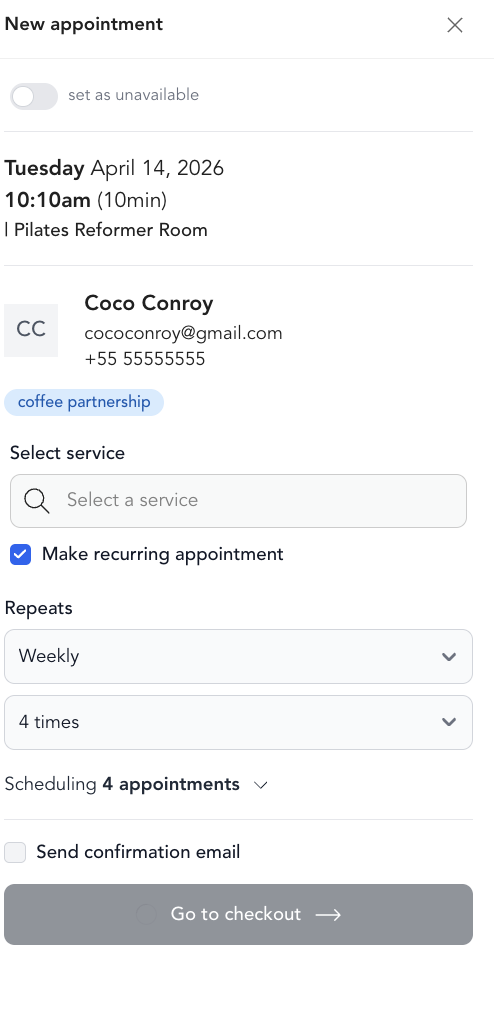
All instances of the recurring appointment are created and appear on the calendar.
Editing a recurring appointment
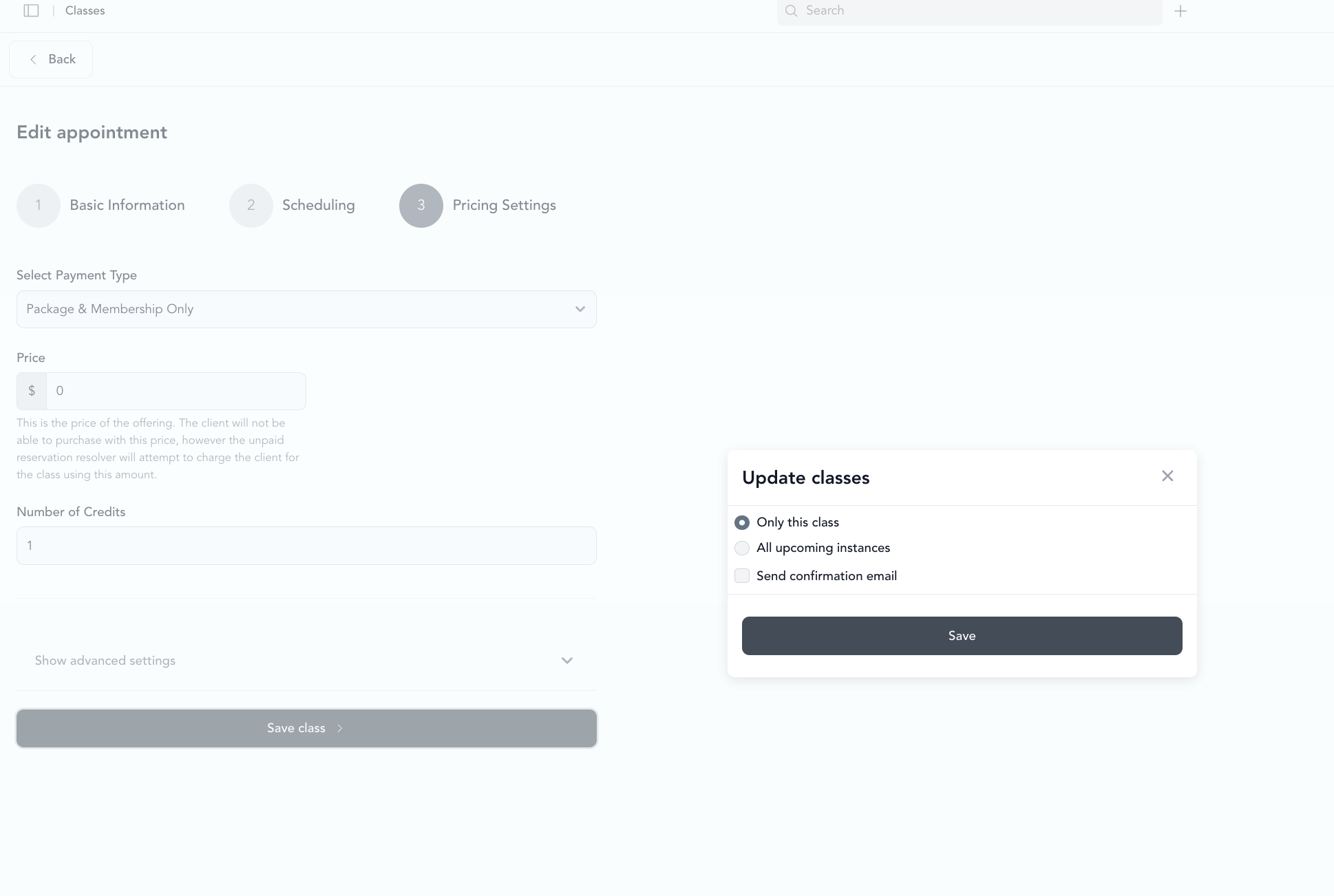
When you edit an appointment that's part of a recurring series, you'll be asked whether to update:
- This appointment only — changes just the one instance
- This and all future appointments — updates the series going forward
- All appointments — changes every instance in the series
Canceling a recurring appointment
Same choice applies when canceling:
- Cancel this session only (client misses one week but the series continues)
- Cancel all future appointments (end the recurring series)
Client and payment considerations
For recurring appointments, you may want clients to have an active membership or package that covers the sessions. This avoids the need to process payment individually for each appointment — they just use credits or their membership covers the sessions automatically.
If payment is required at each session, the system will prompt for payment when each appointment is booked or at the time of the session.