
Rooms and resources
Set up physical rooms and equipment resources that appointments are booked into.
Rooms and resources are available on Studio plans. Contact support if you're interested in this feature.
Rooms and resources let you manage appointment bookings that require a specific physical space or piece of equipment. This prevents double-booking a room or a resource that's needed for a session.
What's the difference?
Rooms are physical spaces — Studio 1, Treatment Room, Pilates Studio, Sauna, etc. Each room has a set capacity and can be assigned to specific service types.
Resources are equipment or other requirements for a session — a specific bike, a reformer machine, a massage table. Resources ensure the required equipment is available when booking.
Add a room
-
Go to Settings → Locations
-
Click into the location
-
Select the Rooms tab
-
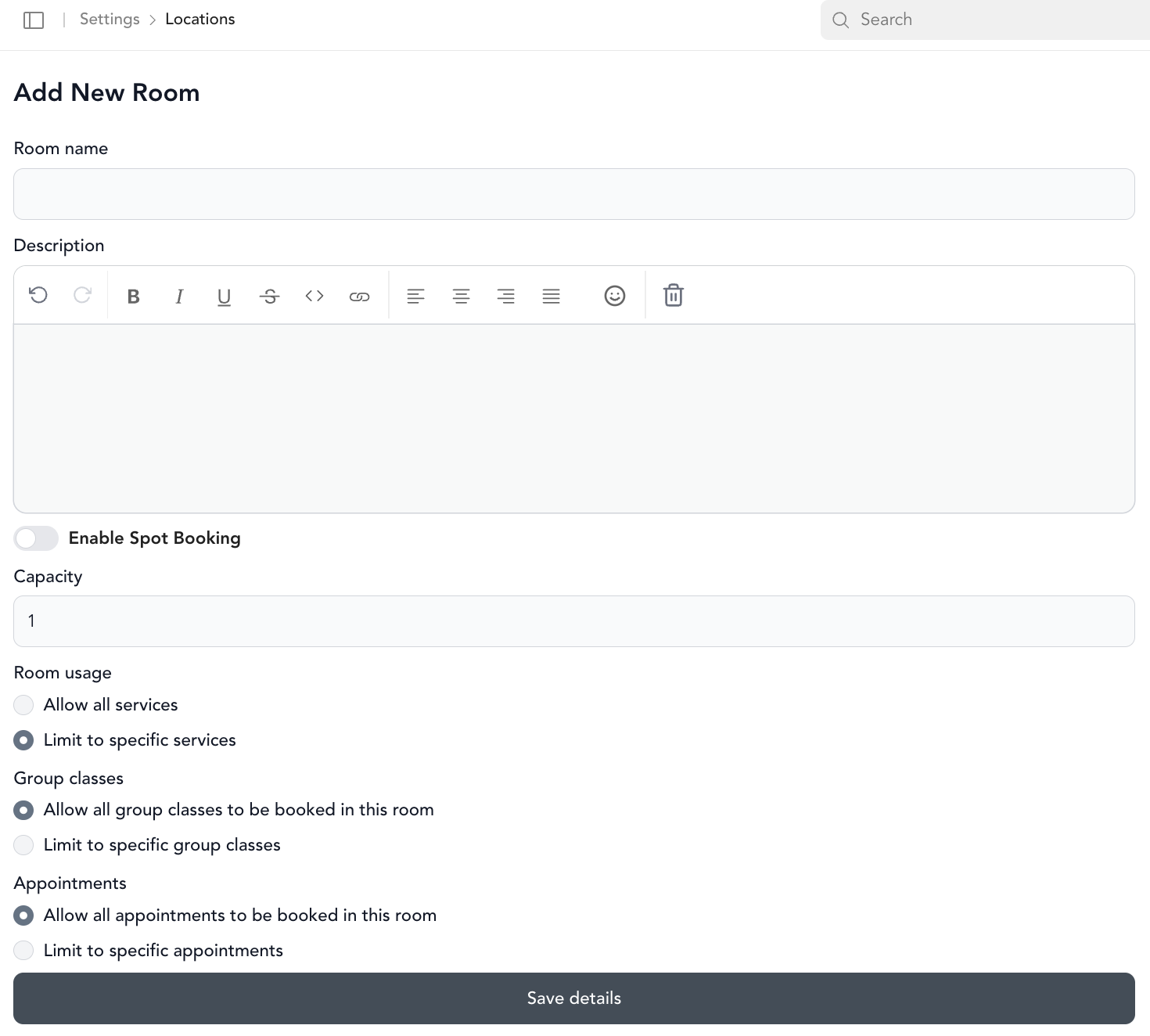
Click Add New Room and fill in:
- Name — what staff see on the calendar (e.g., "Studio 1", "Treatment Room")
- Description — helps staff remember the room's purpose
- Capacity — how many clients fit (used for cycling and spot-booking setups)
- Room usage — which service types and appointment types can be booked in this room
-
Save
Edit or delete a room
Hover over the room under Actions to edit or delete it.
Reorder rooms on the calendar
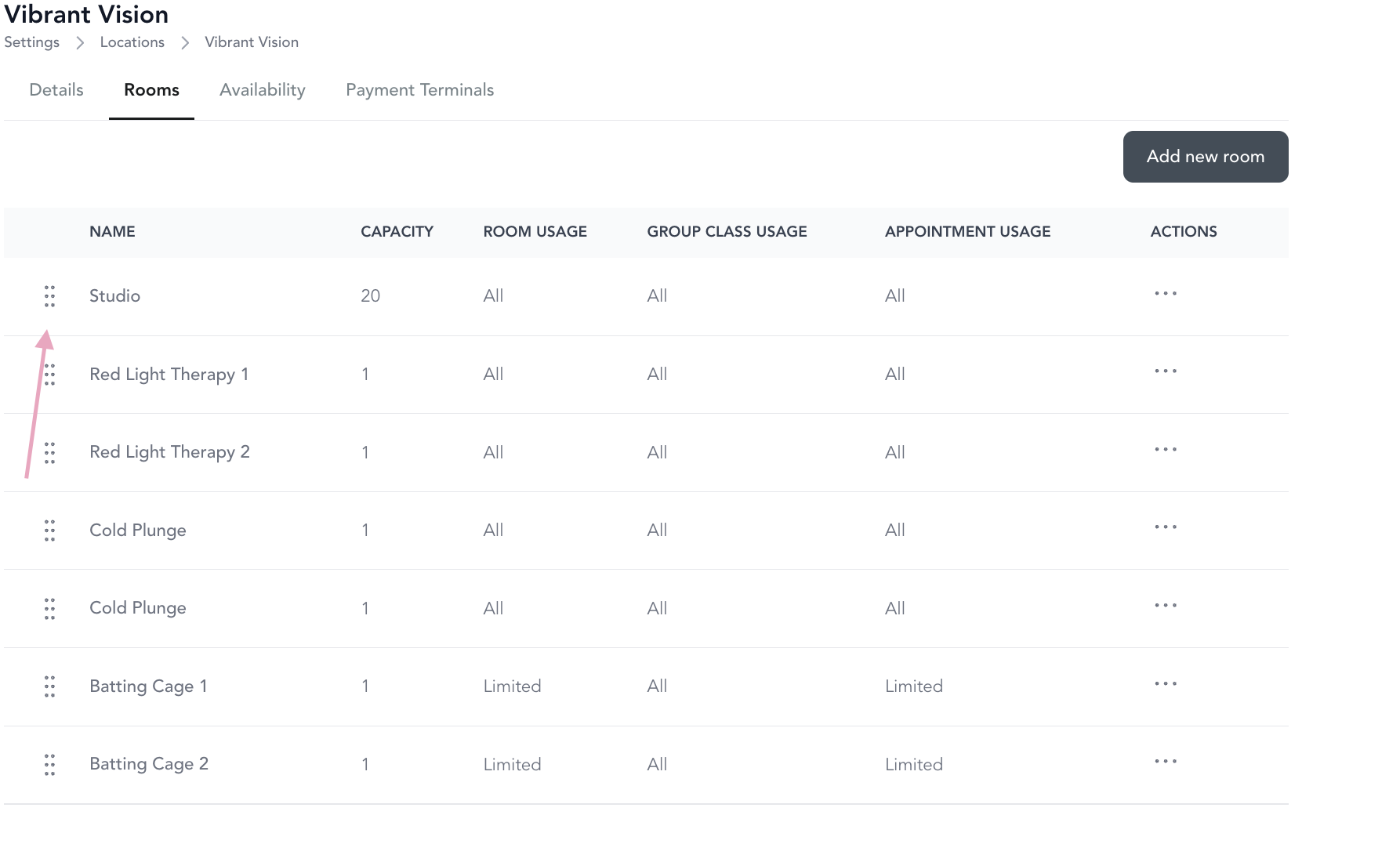
Rooms appear on the appointment calendar from left to right. Drag and drop the rooms in Settings to change the order — rooms are ordered top-to-bottom in settings, which maps to left-to-right on the calendar.

Unassigned room
Every calendar includes an Unassigned room by default. Use it for:
- Livestream appointments that don't need a physical space
- Bookings you want to assign to a room later
- Walk-in sessions where room selection happens at the studio