
Buffers between appointments
Add automatic padding between appointments so you have time to reset between sessions.
Buffers add automatic padding before or after appointments — so there's always a gap between sessions for you to clean up, prep, take notes, or just breathe.
How buffers work
When a buffer is set on a service type, Arketa automatically blocks off that time around each booking. Clients won't see buffer time — they just see the appointment duration. The calendar will show the appointment as taking longer, blocking that slot from being double-booked.
Example: A 60-minute massage has a 15-minute buffer after. The appointment runs 10:00–11:00am, and Arketa holds the room until 11:15am, giving you time to change linens and prepare. Where the next bookable slot actually lands also depends on your appointment increments — see Buffers and booking windows below.
Set up a buffer
Buffers are configured on the service type:
- Go to Setup → Service Types → Appointments
- Edit the service type
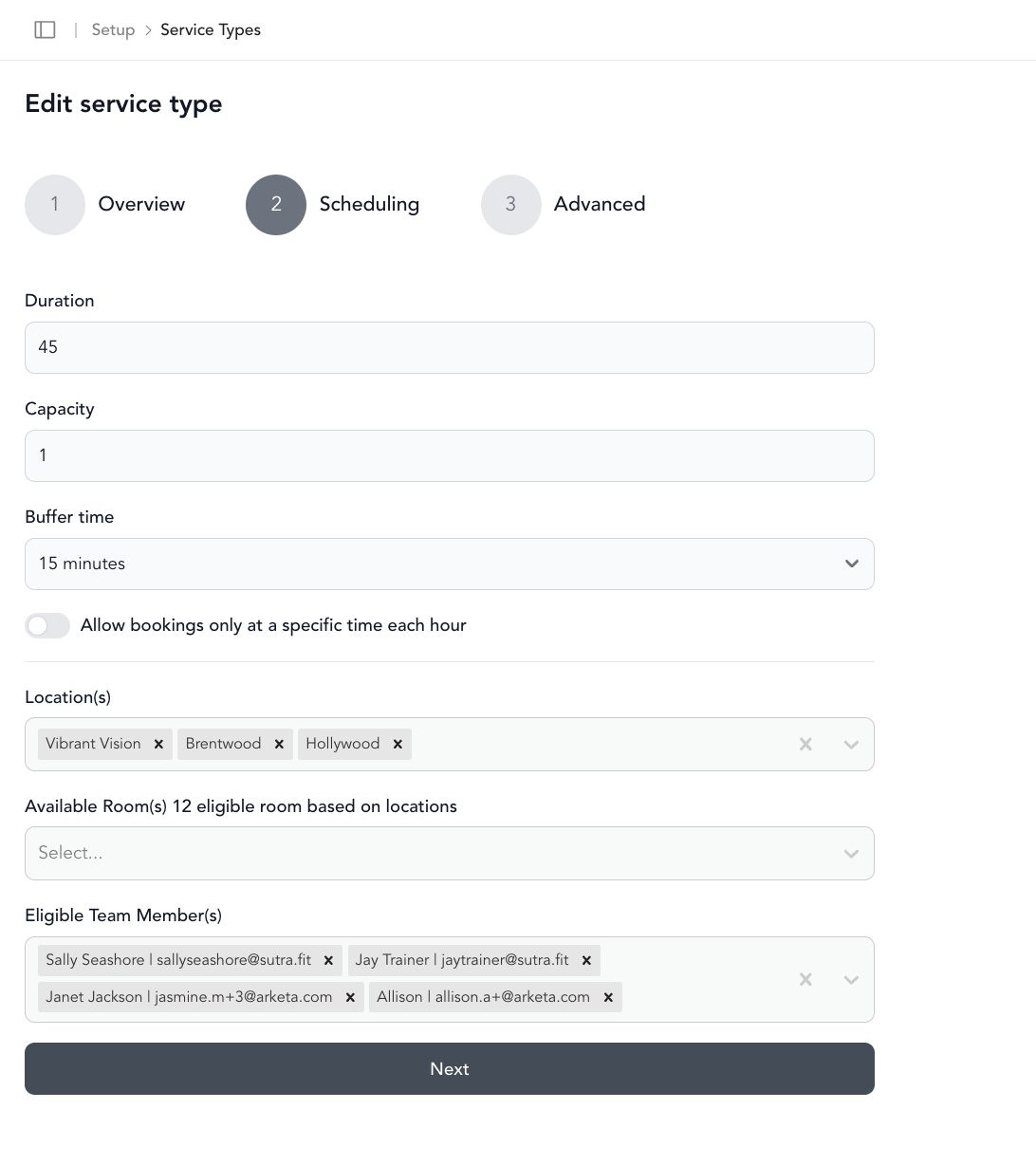
- Look for Buffer time in the advanced or scheduling settings
- Set the buffer duration before and/or after the appointment
- Save
Buffers and booking windows
Buffers interact with your start time increments. If you have 30-minute increments and a 15-minute after buffer on a 60-minute session, the next bookable slot will be at 90 minutes from the start (60-min session + 15-min buffer, rounded to the next 30-min increment).