
Share a community
Share your community via direct link or embed it on your website.
Share as a direct link
Every community has a direct purchase link. Share it via email, social media, or any marketing channel.
To get the link:
- Go to the community's Settings tab
- Copy the Direct Purchase Link
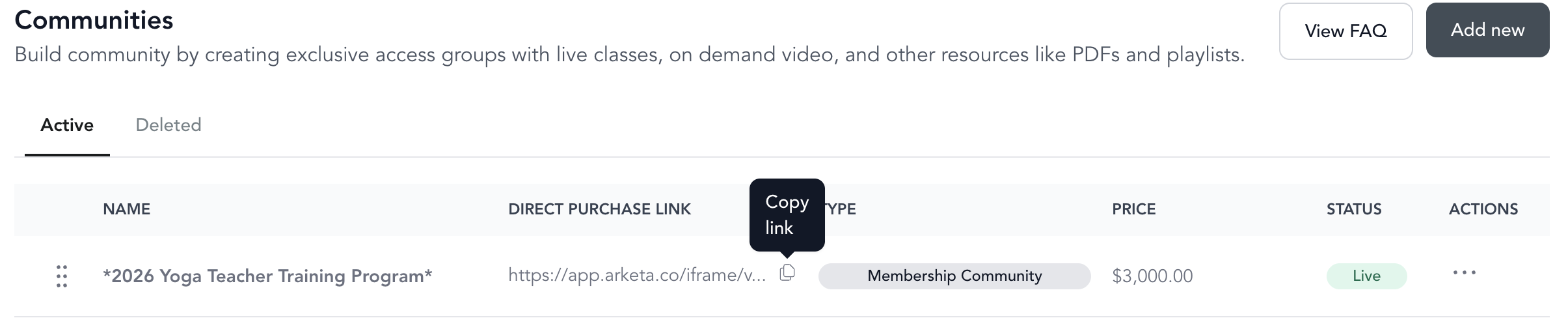
This is also the access link — after purchasing, clients return to the same URL to access their content.
Embed a single community
To embed a community on your website:
- Go to the community's Settings tab
- Make sure the community is set to Live and Open
- Copy the Embed Code
- Paste it into your website
What the embed shows
The embed is the same page as the direct link, so what a visitor sees depends on whether they have access:
| Visitor | What they see |
|---|---|
| Not logged in, or no access yet | The community's sales page — cover image, description, and the option to get access |
| Logged in with access | The community's content, opened on the Schedule tab, with On-Demand and Resources alongside it |
The Schedule tab is always the landing tab, and it lists only the classes attached to that community. If the community has no classes, members land on an empty calendar that reads "No classes available" even when the community has on-demand videos or resources — they can still click On-Demand or Resources to reach that content.
Because the embed shows only what is inside that one community, it will not display announcements or posts you publish elsewhere in Arketa. Contact support if you want a specific piece of content on your website and you're unsure which embed to use.
Embed all communities
To show all your active communities in a list on your website:
- Go to Sales Channels → Website Integration
- Find the communities embed section
- Copy the embed code and add it to your site
This creates a browseable community library on your website.
How clients access after purchase
The purchase link and access link are the same URL. After buying, clients:
- Return to the URL where they purchased
- Log in (upper right corner)
- Their community unlocks automatically
Clients can also access all purchases from the Purchases tab in their account widget (upper right corner of any Arketa-powered page).